By the end of this page you will have a newer version running with your record intact, or you will have removed the extension knowing what went with it.
Export first
Everything the extension has recorded lives inside the browser, tied to the extension. Before you update, remove or move anything, save a copy.
- Press the HouseBreaker icon, then Open Diagnostics.
- Scroll to Export and press Export for desktop.
- Choose where to save the file. Its name is
housebreaker-export-<date>.ndjson.gz.
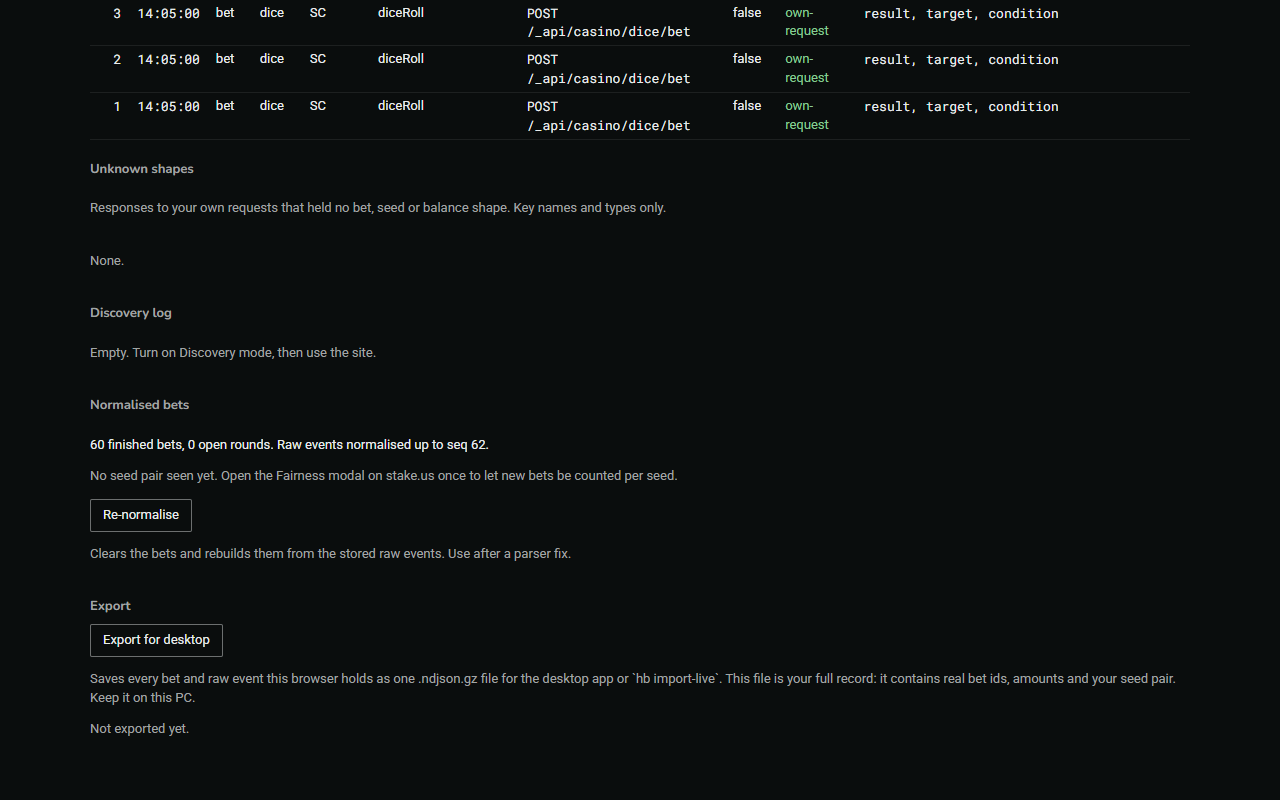
The file holds every bet this browser recorded, with real amounts and bet ids. Keep it on your own computer and do not send it to anyone.
Is there a newer version?
The extension does not update itself and does not check for updates: it never contacts any site of its own accord.
- Press the HouseBreaker icon. Your version is under Help.
- Press Check for a newer version. The HouseBreaker page on xerobytes.net opens in a new tab and shows the newest version.
If the two numbers are the same, there is nothing to do.
Update
Updating means putting the new files where the old ones are, then telling the browser to read them again. Your record stays, because the extension keeps the same ID.
- Export first, as above.
- Download the new
HouseBreaker-Web-<version>.zipand unzip it. You get a new folder with the new version in its name. - Open the folder the browser is using now: the old
HouseBreaker-Web-<version>folder you loaded when you installed. - Delete everything inside the old folder. Leave the folder itself where it is, with its name unchanged.
- Copy everything from inside the new folder into the old folder.
- Open your browser's extensions page (
chrome://extensions,edge://extensions,brave://extensionsorvivaldi://extensions). - Press Reload on the HouseBreaker card. In Chrome, Brave and Vivaldi it is the round arrow on the card.
- Press the HouseBreaker icon and read the version under Help. It is the new one.
The old folder now carries an out-of-date version number in its name. That does no harm. Do not rename it: the browser finds the extension by that path.
Remove
Removing the extension deletes everything it has recorded in this browser. There is no undo, and the browser does not ask twice.
- Export first, as above.
- Open your browser's extensions page.
- Press Remove on the HouseBreaker card and confirm.
- Delete the
HouseBreaker-Web-<version>folder if you no longer want it.
Turning the extension's switch off is different: that only pauses it and keeps the record.
Bringing a record back
The export file is read by the HouseBreaker desktop app, which is part of the Bundle package. In the app, open Data sources and add the file there.
The extension itself has no import. If you have the Web package only, the export file is your copy of the record and can be imported whenever you have the desktop app; a freshly installed extension starts counting from nothing.