By the end of this page you will know every part of the extension: what each one shows, where its numbers come from, and what its labels mean.
The pictures on this page show made-up bets on a stand-in page, not real play.
The short version
- Open stake.us and play a Stake Original as you normally would. HouseBreaker records each of your bets as it finishes.
- Press the HouseBreaker icon to see today's count, or press Open tracker to keep the analysis beside the game.
Nothing else is needed. The rest of this page explains what you are looking at.
Where the numbers come from
Every figure in the extension comes from one place: the bets this browser recorded while the extension was on. That has three consequences worth knowing.
- A bet placed on another device, in another browser, or while capture was off is not in the figures.
- Only Stake Originals are recorded. Slots and live games from other providers run inside their own frame, which the extension cannot see.
- Other players' bets, which the page also receives for its "All bets" list, are never counted as yours.
SC and GC are always shown separately. No figure is in dollars.
The popup
Press the HouseBreaker icon in the toolbar.
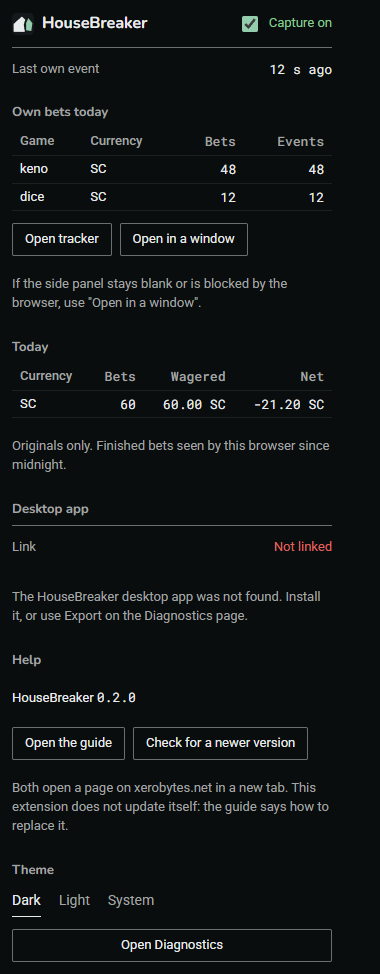
| Part | What it shows |
|---|---|
| Capture on / off | The kill switch. See The kill switch below. |
| Last own event | How long ago the extension last saw one of your own bets. "none yet" means it has recorded nothing so far. |
| Own bets today | One row per game and currency since midnight. Bets counts finished bets; Events counts the answers the page received, so a game with several steps per bet (Mines, Dragon Tower) shows more events than bets. |
| Open tracker and Open in a window | Opens the side panel beside the page, or the same panel in a small window of its own. Use the window if the side panel stays blank. |
| Today | Per currency: finished bets, the amount wagered, and the net (what came back minus what was wagered). A minus sign means you are behind for the day. |
| Desktop app | Whether the HouseBreaker desktop app is linked. "Not linked" is normal if you have the Web package only. |
| Help | The version you are running, Open the guide, and Check for a newer version. Both buttons open a page on xerobytes.net in a new tab. |
| Theme | Dark, light, or whatever your device is set to. |
| Open Diagnostics | Opens the Diagnostics page, where the export is. |
A number on the toolbar icon means that many limits or reminders you set have been reached. It is a reminder only; nothing is blocked.
The side panel
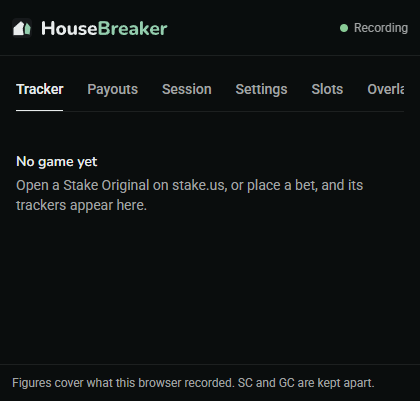
Press Open tracker in the popup. The panel follows the game on the stake.us tab you are looking at. "Recording" at the top right means it is connected.
Before any bet, the panel says so and waits.
Each section in the panel has a small mark beside its title. Press the title to fold the section away or open it again; the panel remembers how you left it.
The tabs along the top are described below, in order. Two of them appear only when they apply.
Tracker
What the game has done in the bets counted, drawn as the game's own board.
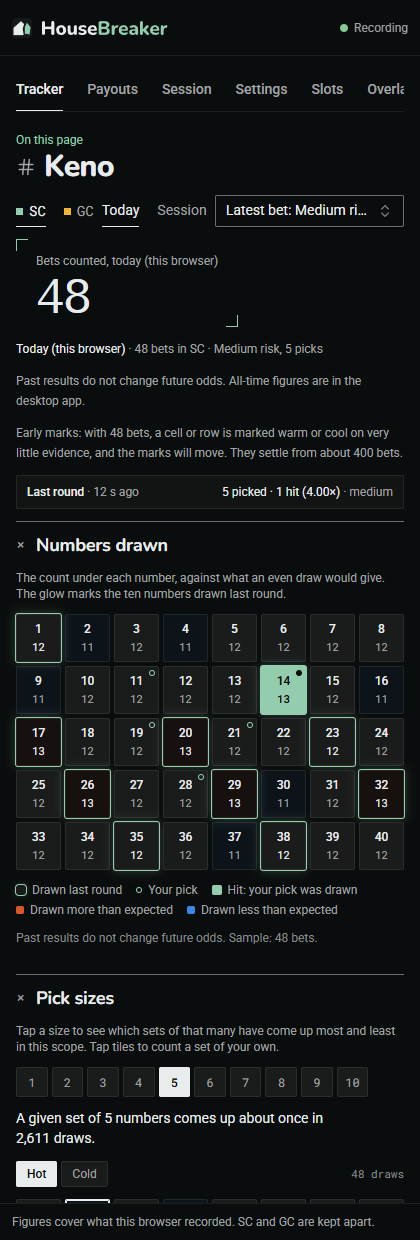
- Currency (SC or GC) and scope choose which bets are counted. Today is every bet since midnight. Session is the run of bets in progress; a session ends after 30 minutes without a bet. Seed pair appears once you have opened the game's Fairness window on Stake, and counts bets on the current pair.
- The variant list chooses the setting of the game, such as Keno's risk and number of picks. It follows your latest bet unless you choose otherwise.
- The large figure is how many bets are in the scope. Every other figure on the tab is drawn from exactly those bets.
- The board shows a count for each cell: how often that number, tile or row came up. The outlined cells are the last round.
- The sections below depend on the game. Most games have Multipliers (each payout, how often it was hit, and how often the odds say it should be), and a list of notable bets under Moments.
What the labels mean. A cell or row may be marked warm or cool, or labelled Hot, Cold, Due or Overdue. Each label states one fact about the past: this came up more often, or less often, than an even draw would give in the bets counted. It is not a forecast. Past results do not change future odds, and that sentence is shown on the tab for this reason.
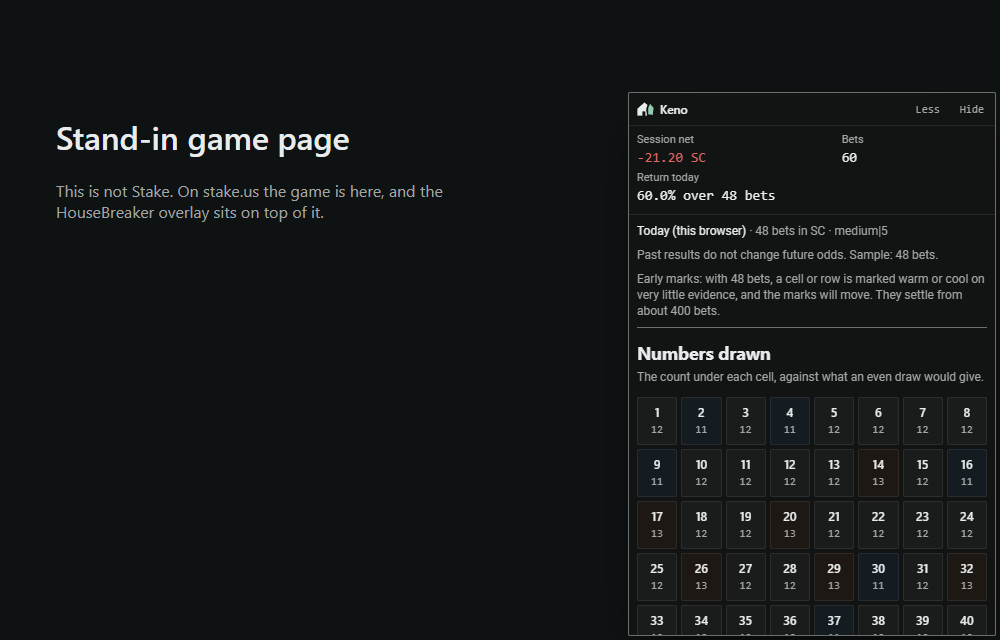
Sample size. Marks appear from 25 bets. With that few, a mark rests on very little and will move; the tab says "Early marks" until the tracker has enough bets to settle, which for the Keno board is about 400. Below 25 bets a section says "Not enough data yet".
Payouts
The payout table of the game you are playing, as a calculator.
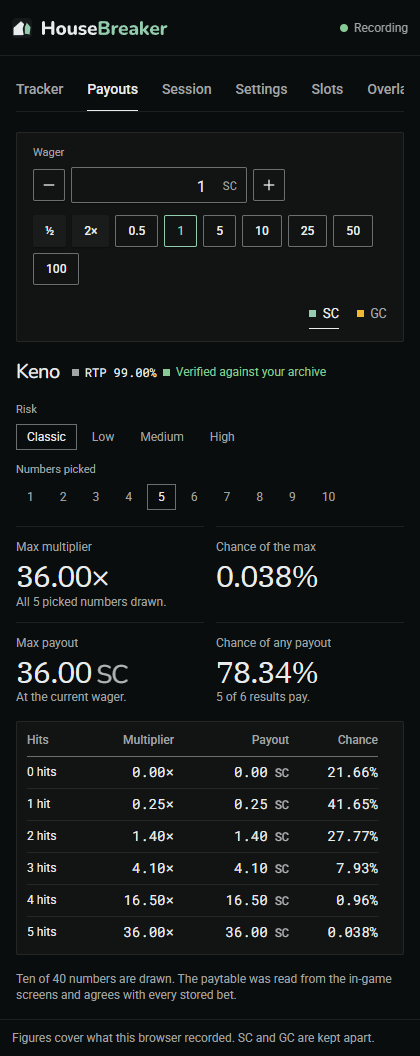
Enter a wager and choose the game's settings to see what each outcome pays and how likely it is. These figures come from the game's published rules, not from your bets, so they are the same for everyone and do not change as you play.
Session
The session in progress, and the limits and reminders you set for yourself.
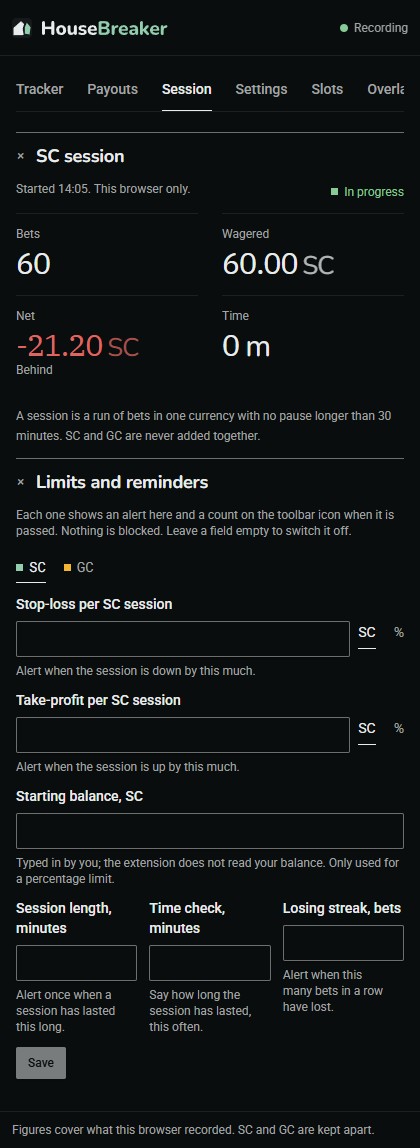
- Bets, Wagered, Net, Time cover the current session in one currency. "Ahead" and "Behind" describe the net so far and nothing more.
- Limits and reminders are yours to set: a stop-loss, a take-profit, a session length in minutes, a losing streak in bets. Leave a field empty to switch it off.
When a limit is passed, an alert appears at the top of the panel and a count appears on the toolbar icon. Nothing is blocked. The extension cannot stop a bet and does not try to; the alert is there so that you notice.
The starting balance field is typed in by you. The extension does not read your balance.
Strategy
Shown on Dice and Limbo only.
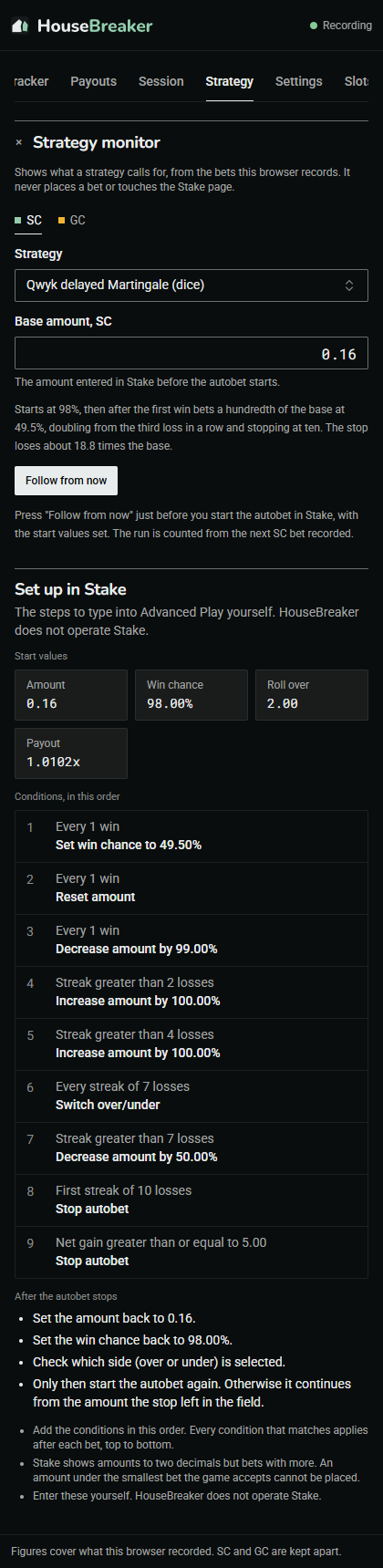
Choose a strategy and the base amount you entered in Stake, then press Follow from now just before you start Stake's own autobet. The tab then shows what the strategy calls for after each bet it records, so you can compare it with what Stake is doing.
It displays only. It never places a bet, types into Stake or clicks anything. If the amount you placed differs from what the strategy called for, the tab says so.
No strategy changes the expected result. Over any number of bets, the expected net is the house edge times the total wagered, lost; a strategy changes how the swings are spread, not where they centre.
Settings
How the tracker words its labels, and how the extension looks.
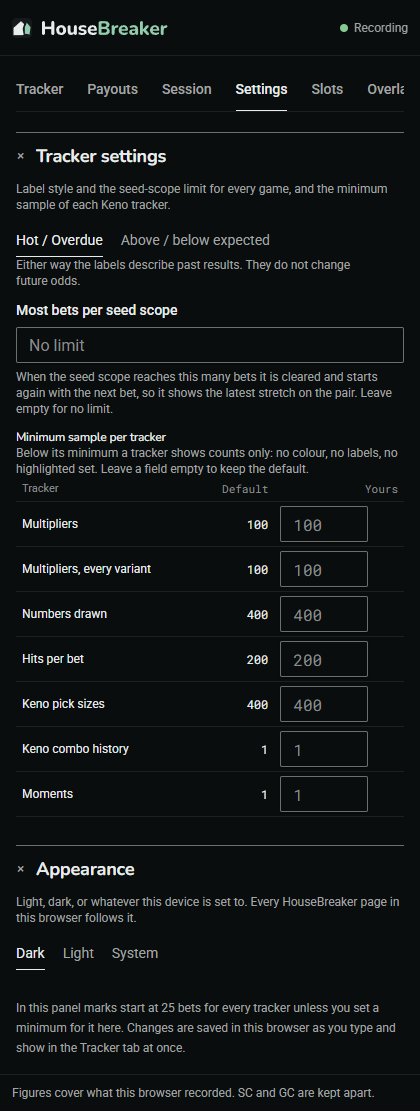
- Label style. "Hot / Overdue" uses the words other trackers use. "Above / below expected" says the same thing in plain terms. The figures are identical either way.
- Seed-scope limit. How many bets the Seed pair scope holds at most.
- Minimum sample. From how many bets each tracker shows colour and labels. A higher number means fewer, steadier marks.
- Appearance. The theme, the same switch as in the popup.
Changes are saved in this browser as you make them.
Slots
For Stake Engine slots: the seed pair and nonce the game's own Fairness tab last showed.
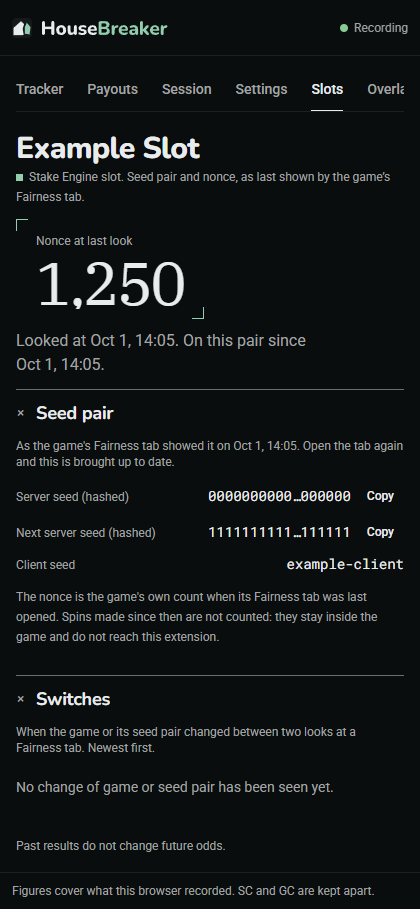
The extension cannot see a slot's spins, so nothing here is counted. It learns a slot's seed pair only when you open the Fairness tab under the game on Stake, and shows what that tab showed and when. Open it again to bring the figures up to date.
- Nonce at last look is the game's own spin count at that moment.
- Seed pair shows the hashed server seed, the next one, and your client seed. The hash is not the seed; the seed itself stays with Stake until you rotate the pair there.
- Switches lists when the game or its pair changed between two looks.
On a slot that is not a Stake Engine game the Fairness button on Stake is greyed out, and this tab has nothing to show.
Overlay
Where the in-page overlay is switched on. It is off until you turn it on.
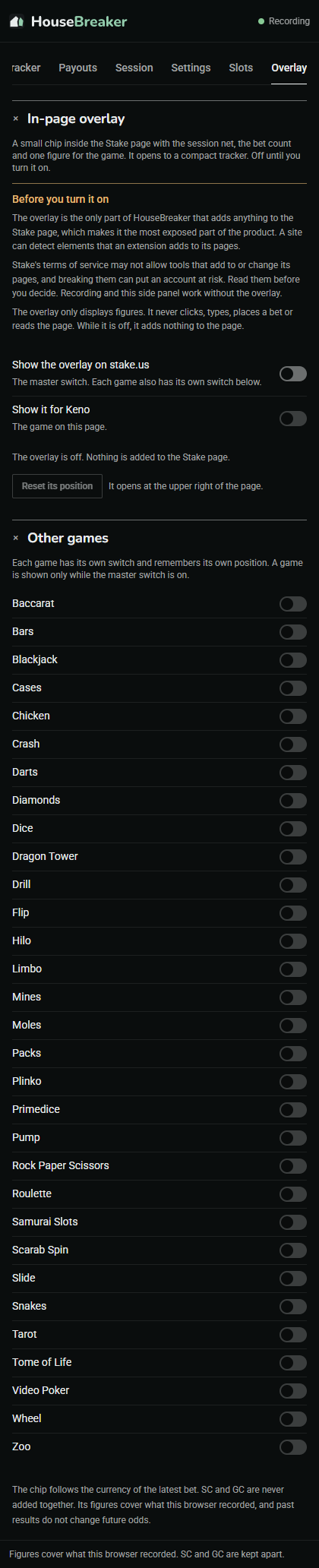
Read the next section before you use these switches.
The overlay
The overlay is a small chip that sits on top of the Stake page with the session net, the bet count and one figure for the game.
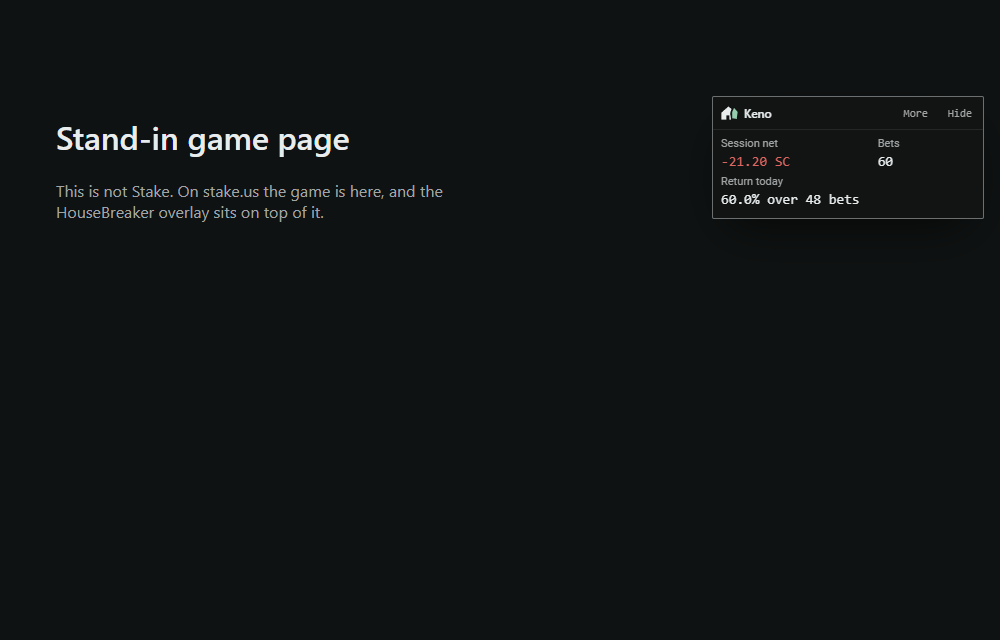
Pressing More opens a compact tracker and Less closes it again. Hide shrinks the chip to a small tab. It can be dragged anywhere and remembers its place for each game.
Before you turn it on. The overlay is the only part of HouseBreaker that adds anything to the Stake page, and a site can detect what an extension adds to its pages. Stake's terms of service may not allow tools that add to or change its pages, and breaking them can put an account at risk. Read them and decide for yourself. Recording and the side panel work without the overlay.
- It is shown for a game only when the master switch and that game's switch are both on.
- It only displays figures. It never clicks, types or places a bet.
- While it is off, it adds nothing to the page at all.
Diagnostics
Press Open Diagnostics in the popup. This page is where you export your record, and where you look when something is not being recorded.
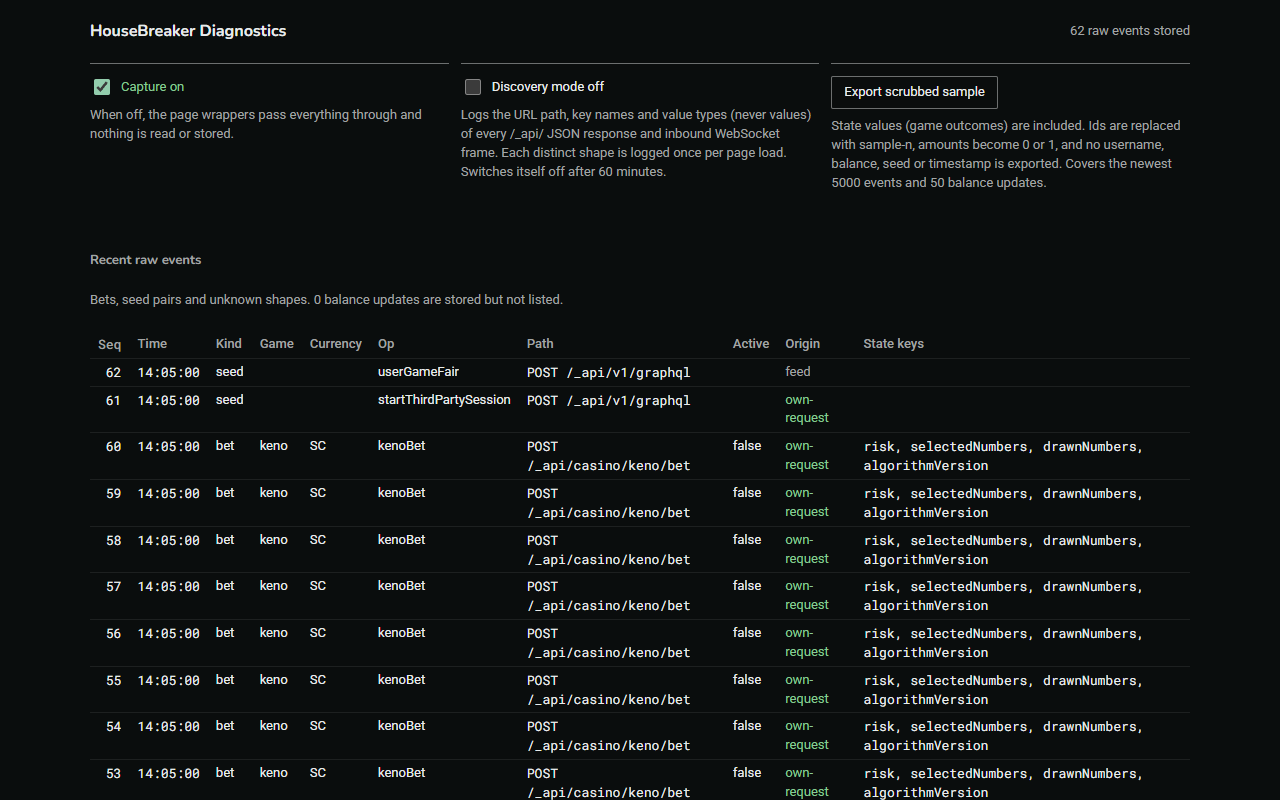
| Part | What it is for |
|---|---|
| Capture on / off | The same kill switch as in the popup. |
| Discovery mode | For fault-finding only. For up to 60 minutes it logs the shape of what the page receives: names and types, never values. Leave it off. |
| Export scrubbed sample | A small file for reporting a problem. Ids are replaced, amounts become 0 or 1, and no username, balance, seed or time is included. This is the file to send if you are asked for one. |
| Recent raw events | The last things the extension recorded. A row whose origin is "own-request" is one of your own bets. If you place a bet and no row appears, nothing is being captured: see Problems. |
| Unknown shapes and Discovery log | Answers the extension did not recognise. Empty is normal. |
| Normalised bets | How many finished bets are stored. Re-normalise rebuilds them from the raw events and is only needed after an update that says so. |
| Export | Export for desktop: your whole record in one file. See below. |
Export
Export for desktop, at the foot of the Diagnostics page, saves every bet this browser holds as one file named housebreaker-export-<date>.ndjson.gz.
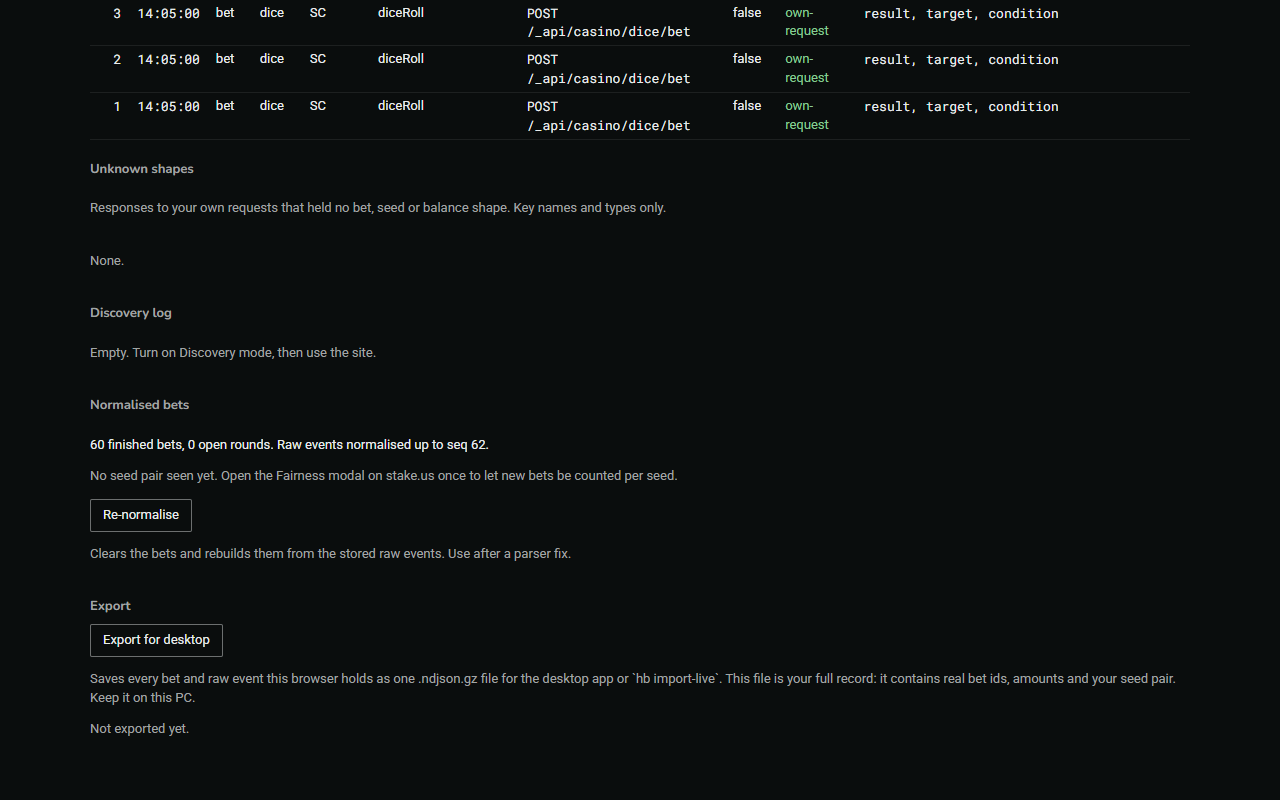
- This file is your full record. It contains real bet ids and amounts, and your seed pair if the extension has seen it. Keep it on your own computer. If someone asks for a file to look into a problem, send the scrubbed sample instead.
- It is the only copy outside the browser. Export before you update or remove the extension, and now and then besides.
- The HouseBreaker desktop app reads it. The extension itself cannot read it back.
- The browser gives an extension limited room. After an export, the oldest bets that have already been exported may be removed to stay inside it; the Diagnostics page tells you when it does. Nothing that has not been exported is removed.
The kill switch
The Capture switch, at the top of the popup and of the Diagnostics page, turns recording off completely.
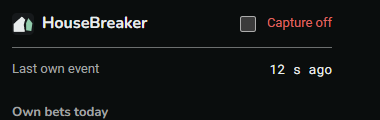
With capture off the extension reads nothing and stores nothing. The page's requests pass straight through as if the extension were not installed. What was recorded before stays; bets placed while it is off are not recorded and cannot be recovered later.
Turn it back on with the same switch. If you turned it off and forgot, the popup says "Capture off" at the top.