By the end of this page the bets the extension records will be reaching the desktop app, by themselves or by a file.
What each one is for
- The extension sees your play as it happens, in one browser, from the day you installed it.
- The desktop app holds your whole history from Stake's Game Archive, and your purchases and redemptions.
The archive is always the fuller record. The extension fills the gap between your last archive download and now. A bet that arrives both ways is counted once: the app knows a bet by Stake's own id for it.
The link: bets arrive by themselves
Installing the desktop app also installs a small helper that lets the extension hand its bets to the app on the same computer. There is nothing to set up.
- Install the desktop app and open it once.
- Press the HouseBreaker icon in your browser. Under Desktop app, the popup says Linked.
- Play. Each finished bet reaches the app within a few seconds.
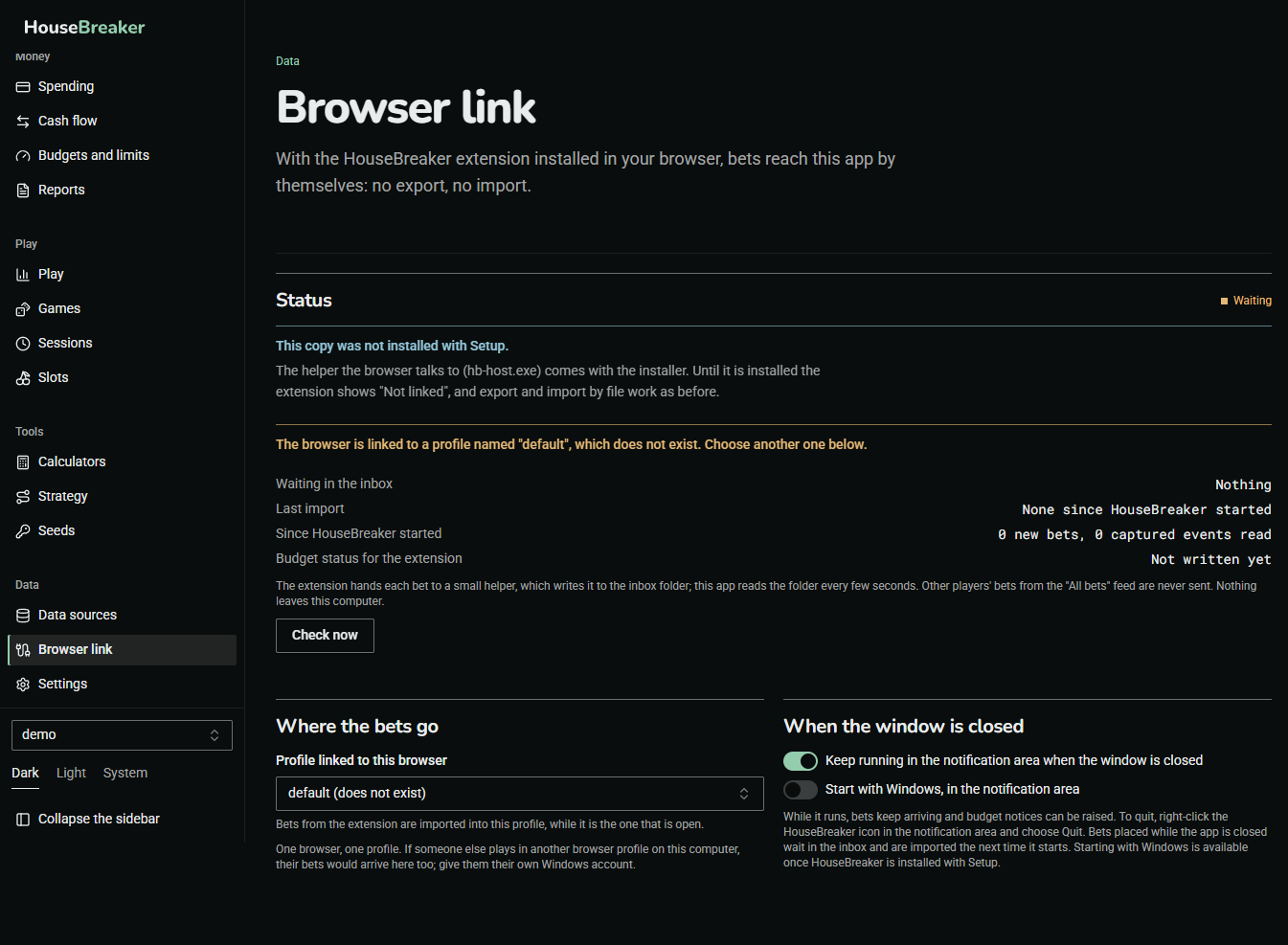
The Browser link screen in the app shows the same from the other side. The picture was taken from a copy that was started without being installed, so its status reads "Waiting" and it names no profile; an installed copy names your profile and shows when the last bet arrived.
- Status. Whether the helper is registered with your browser and when the last bet arrived.
- Where the bets go. The one profile that bets from the extension are imported into, and only while that profile is the one open. One browser, one profile: if someone else plays in another browser profile on this computer, their bets would arrive here too, so give them their own Windows account.
- When the window is closed. HouseBreaker can keep running in the notification area, beside the clock, so that bets keep arriving and notices can be shown. It can also start with Windows. Both are switches, and both can be off.
The link carries your own finished bets from the extension to the app on this computer. Nothing goes over the internet, and nothing travels the other way except your budget status, which the popup shows.
What the popup says
| Popup | Meaning |
|---|---|
| Linked | Bets are reaching the app. |
| Not syncing | The helper was found but the bets are waiting. Open the desktop app; they are kept and sent when it is ready. |
| Not linked | No desktop app was found. Install it, or use the file as below. |
Bets recorded while the app is closed are not lost. They wait in the extension and are sent the next time the link is up.
The file: export from the extension, import in the app
The file works without the link, and it is also your backup of what the extension holds.
- In the browser, press the HouseBreaker icon, then Open Diagnostics.
- Under Export, press Export for desktop and save the file.
- In the desktop app, open Data sources.
- Under Extension export, add the file.
Importing the same file twice adds nothing. Use the file when the link is not available, when the extension is on another computer, or before you update or remove the extension.
If a file is refused
A file from a different Stake account than the profile already holds is not imported into it.
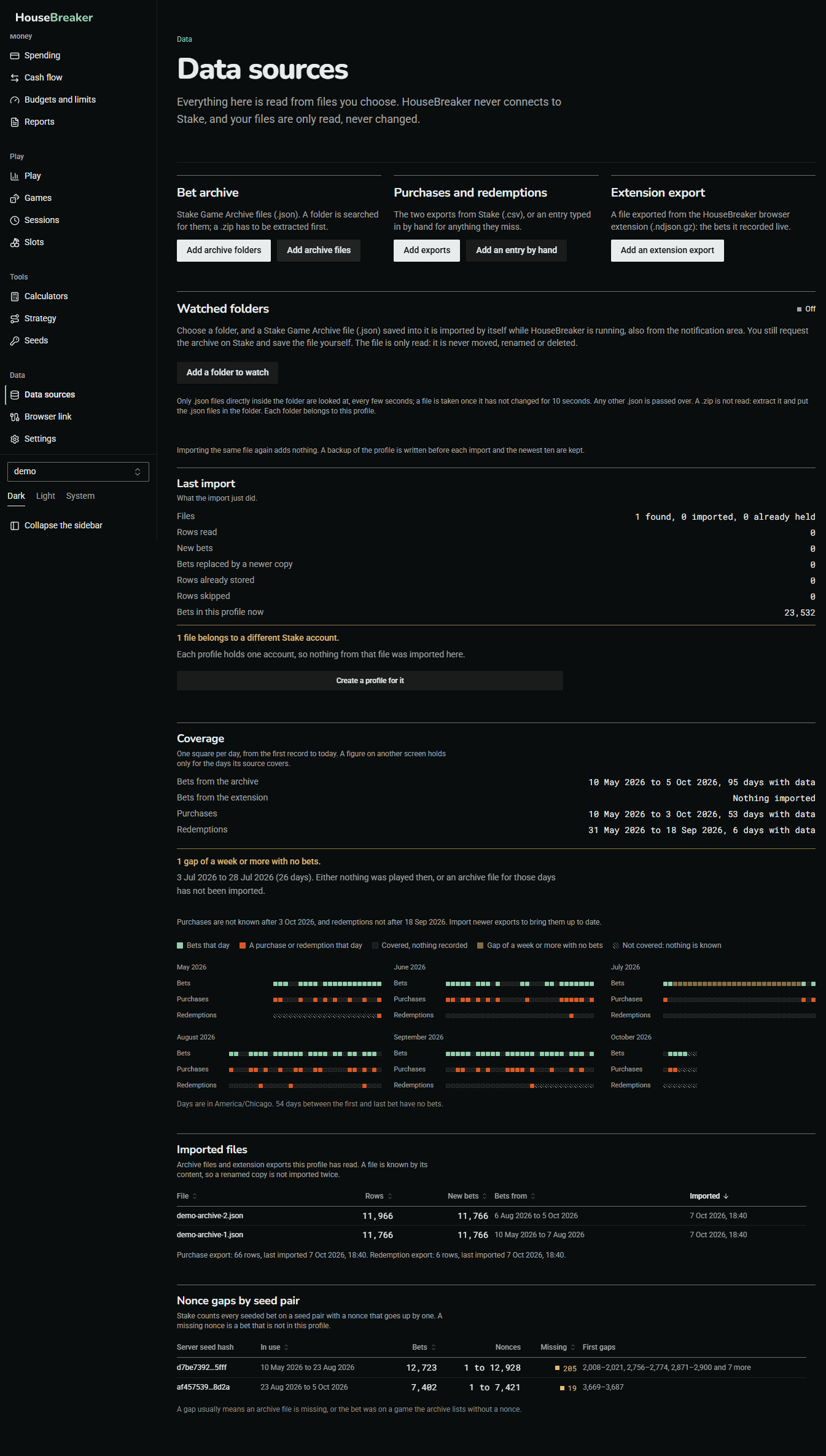
Press Create a profile for it and the file goes into a profile of its own. Nothing in the first profile changes.