By the end of this page you will know what every screen in the sidebar answers and how to read it.
The pictures on this page show a made-up profile, not real play.
Before the screens: four rules that hold everywhere
- SC and GC are never added together. A switch at the top of a screen chooses the currency. A profile that holds another currency shows it under its own code.
- A dollar sign means US dollars and nothing else. It appears on purchases and redemptions only. Play is in SC or GC.
- "No data" is not zero. A figure covers only the days its source covers. Where no file covers a period, the screen says "No data".
- Past results do not change future odds. Every panel that could be read as a hint carries that sentence, with the number of bets behind it.
A purchase is cash in and a redemption is cash out. Neither is called a win or a loss, because neither is one: the result of play is counted separately, in the currency it was played in.
The sidebar has five groups. The screens below are in the sidebar's order.
Overview
Dashboard
Answers: how is this month going?
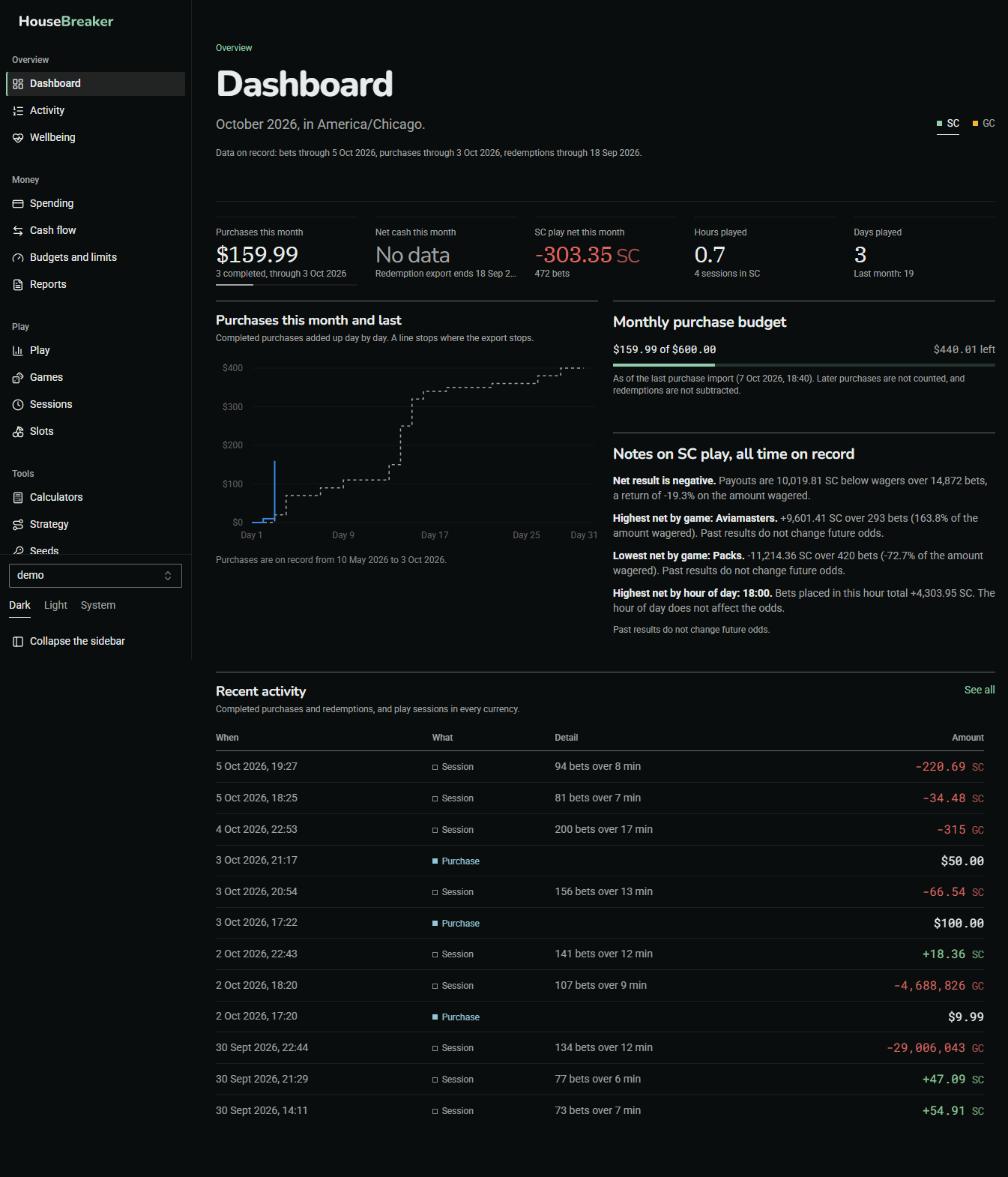
The top row is dollars: purchases, redemptions and the difference, for the current month. Below it is play for the month in the currency you chose: bets, wagered, and net. The monthly purchase budget shows how much is used. The line under the title says how fresh the data is, which is the date of your last import.
Activity
Answers: what happened, in order?
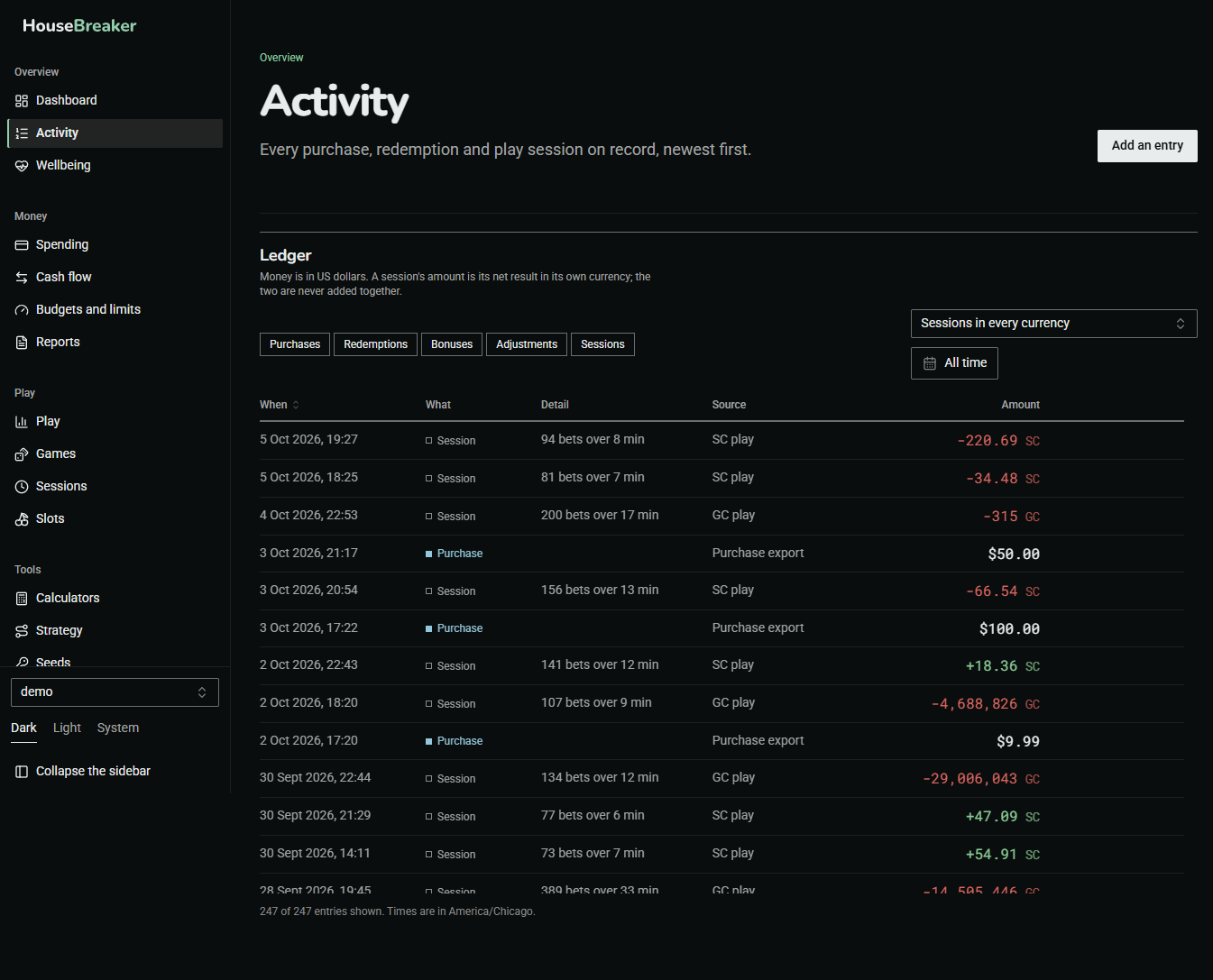
One ledger of money events and play sessions, newest first. It is the place to check a single day: a purchase, the session that followed, and what it came to.
Wellbeing
Answers: what limits and reminders are on, and where can I get help?
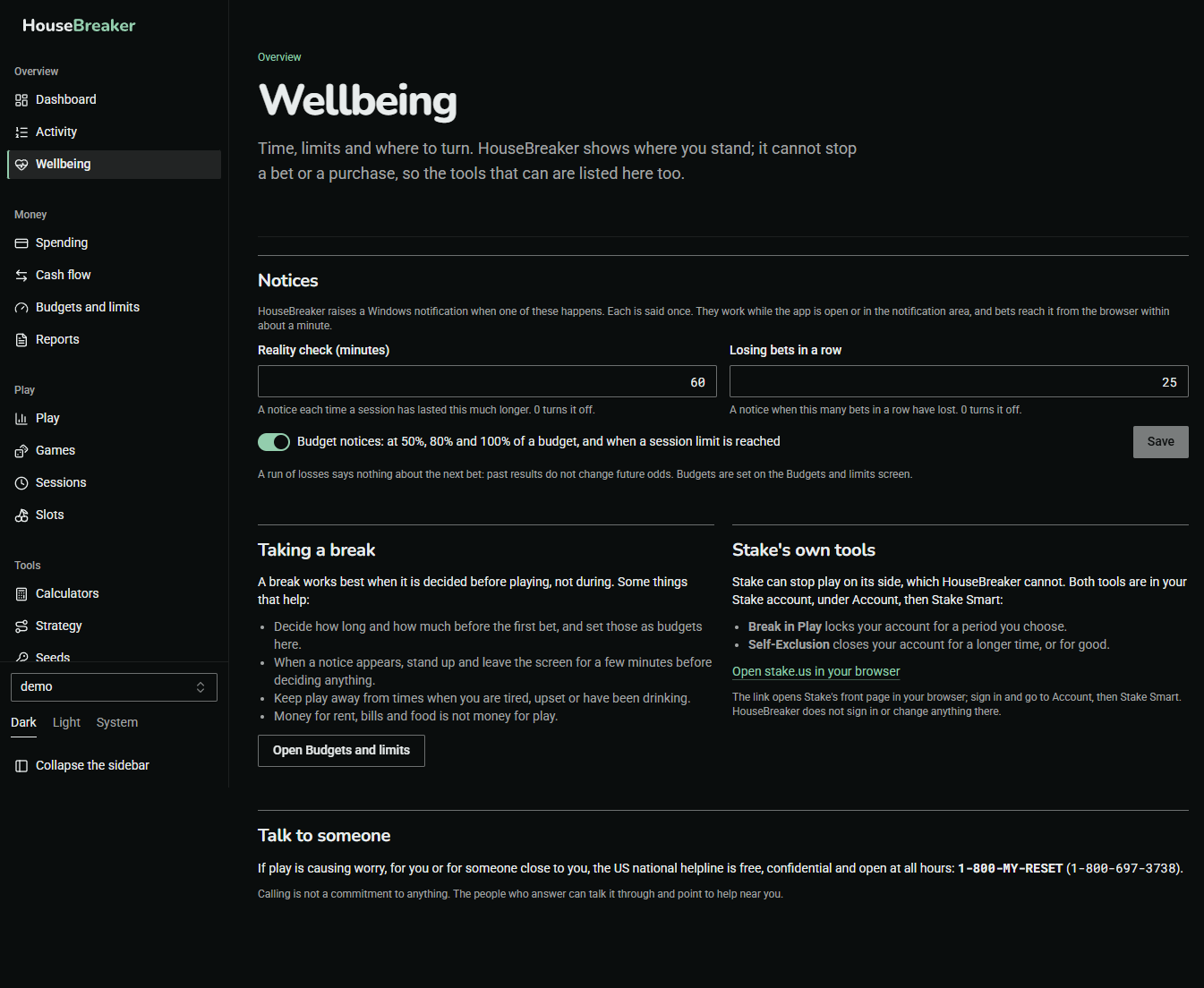
The notices HouseBreaker can raise about time played, losing streaks and budgets, each with its own switch. Below them: how to take a break on Stake itself, since HouseBreaker cannot block anything, and where to talk to someone. If play has stopped being fun, this is the screen to open.
Money
Spending
Answers: how much do I put in, when, and how often?
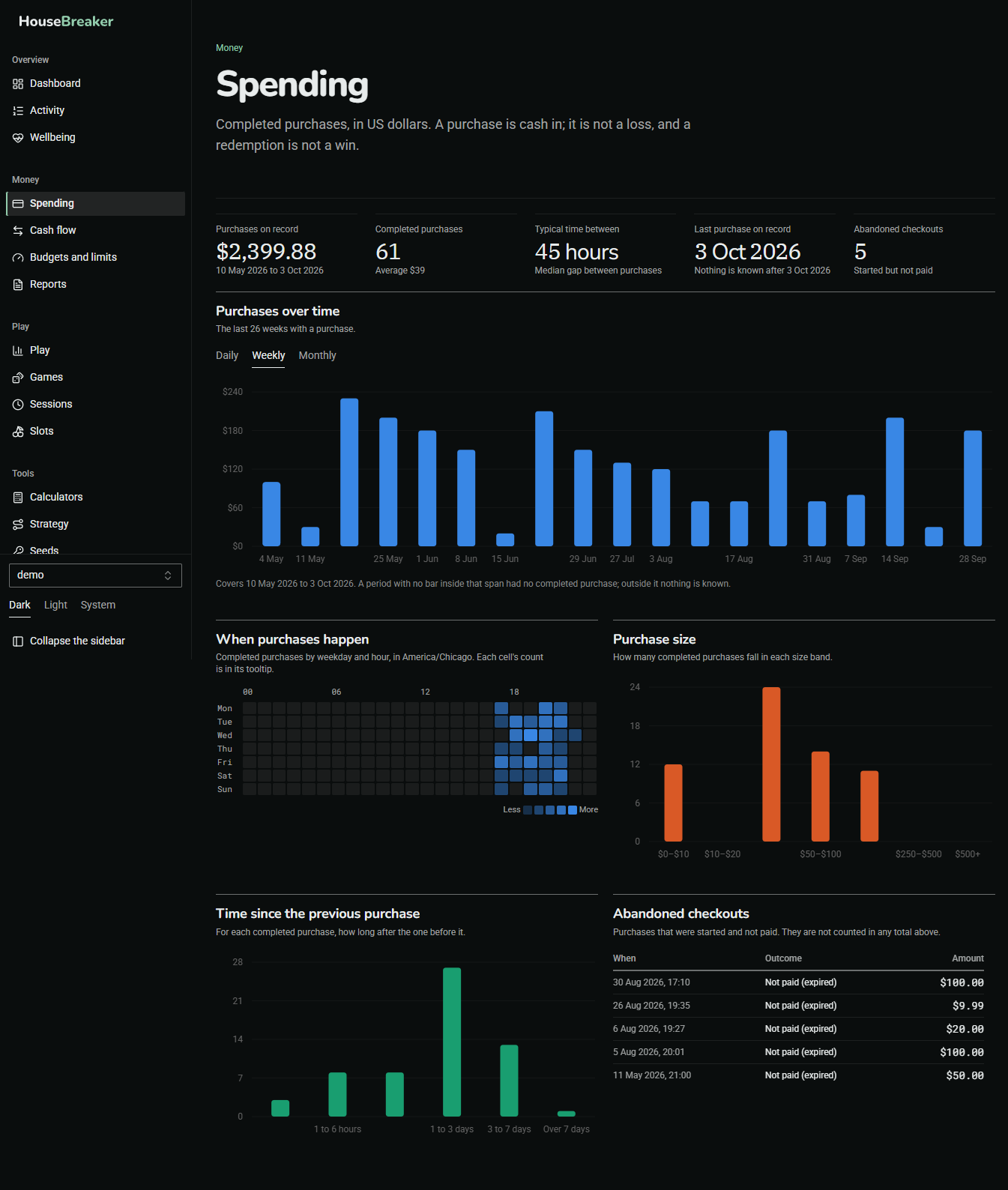
Completed purchases in US dollars: by month, by day of the week and hour, by size, and how far apart they are. Purchases that were started and not paid are counted apart and not added in.
Cash flow
Answers: over everything on record, how much went in and how much came out?
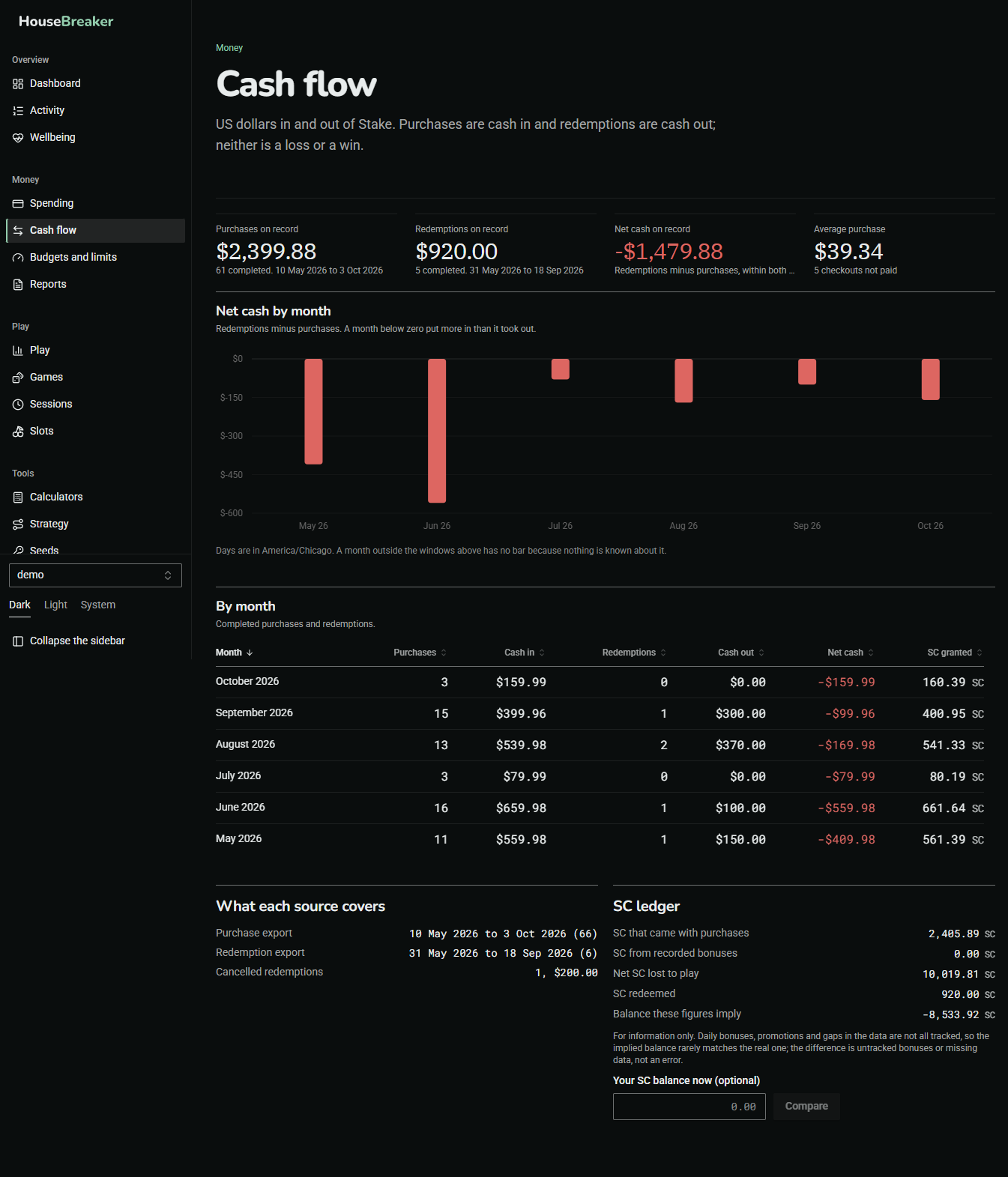
Dollars in and out by month, and lifetime totals. Each total states the window it covers, because a total is only as long as the exports behind it. The SC ledger shows where Stake Cash came from and went to. What each source covers shows which dates each of your files covers, so a gap is visible as a gap.
Budgets and limits
Answers: where do I stand against the limits I set?
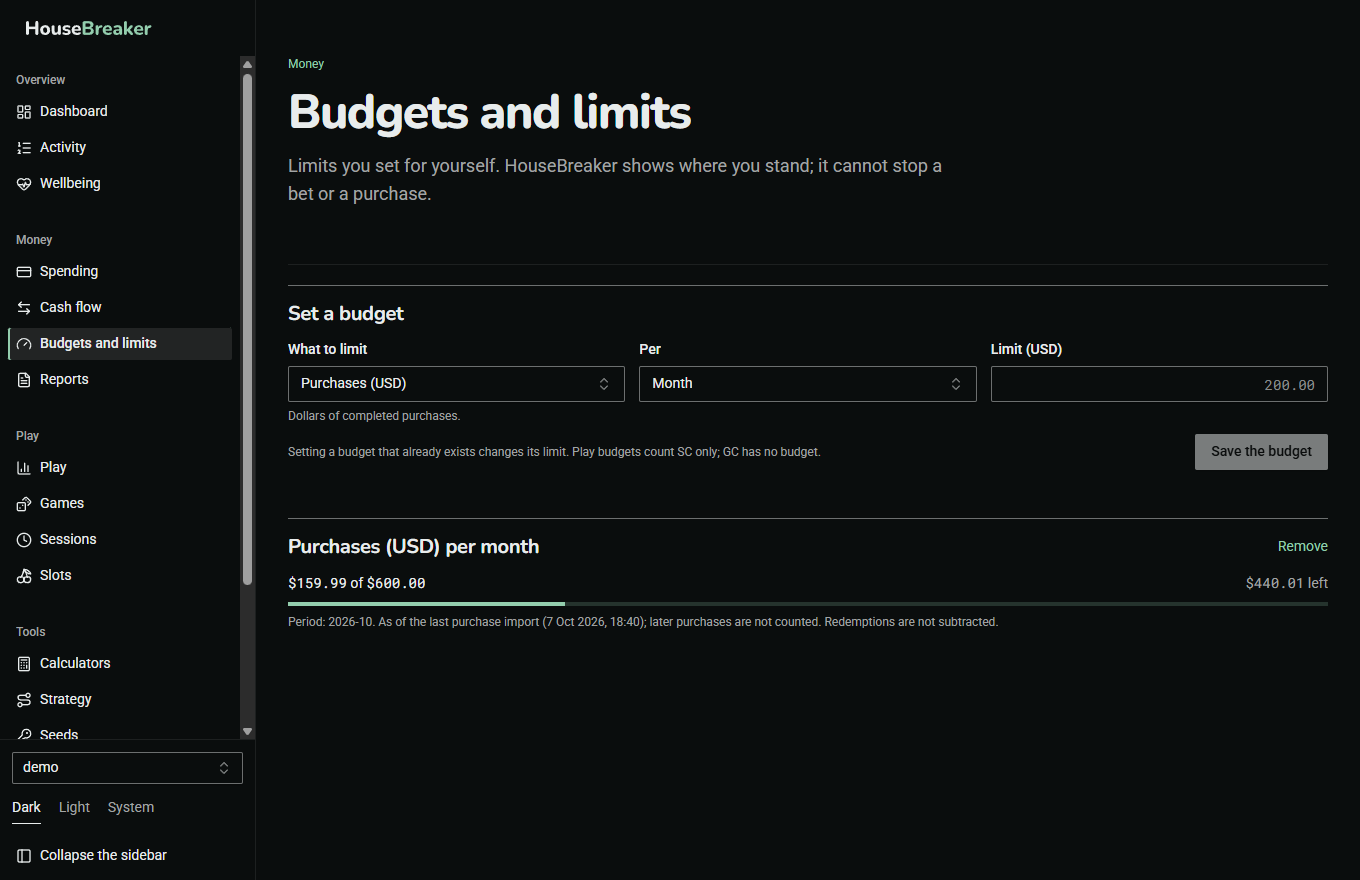
A budget is a limit on one thing over one period: purchases in dollars, the number of purchases, SC wagered, or SC net loss, per day, week, month or session.
- Set a budget adds one, or changes the limit of one that exists.
- A lower limit applies at once. A higher limit applies after 24 hours. The delay is deliberate.
- Purchase budgets count up to your last purchase import, and say so. Later purchases are not known to the app until you import again.
HouseBreaker shows where you stand and tells you when a limit is reached. It cannot stop a bet or a purchase.
Reports
Answers: can I have a statement for a period?
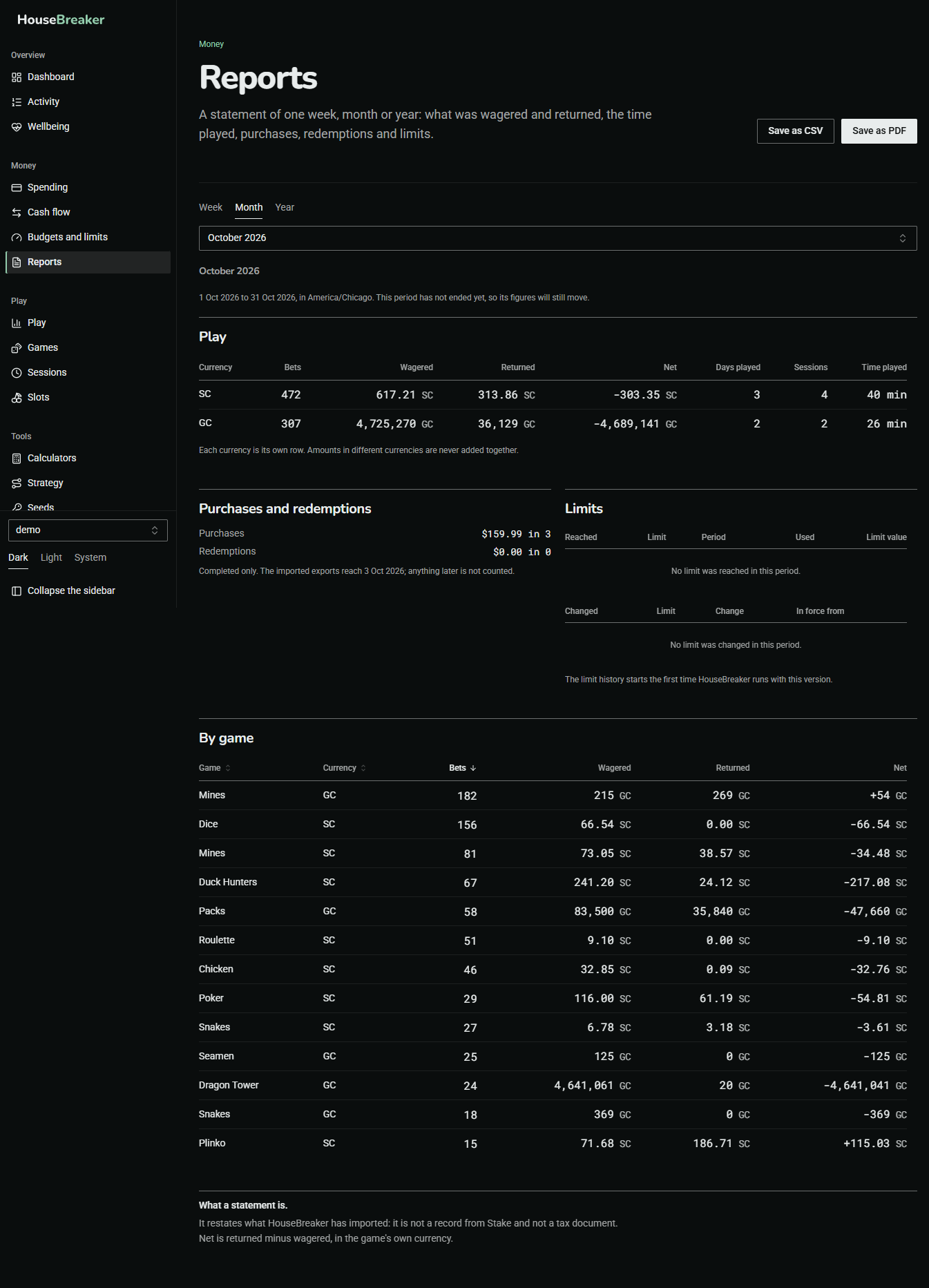
A statement for one week, month or year, on screen and as a PDF or CSV file. SC and GC have their own rows; dollars are purchases and redemptions only. The Limits part lists the limits that were set, changed or reached in the period.
Play
Play
Answers: what do all my bets in one currency add up to?
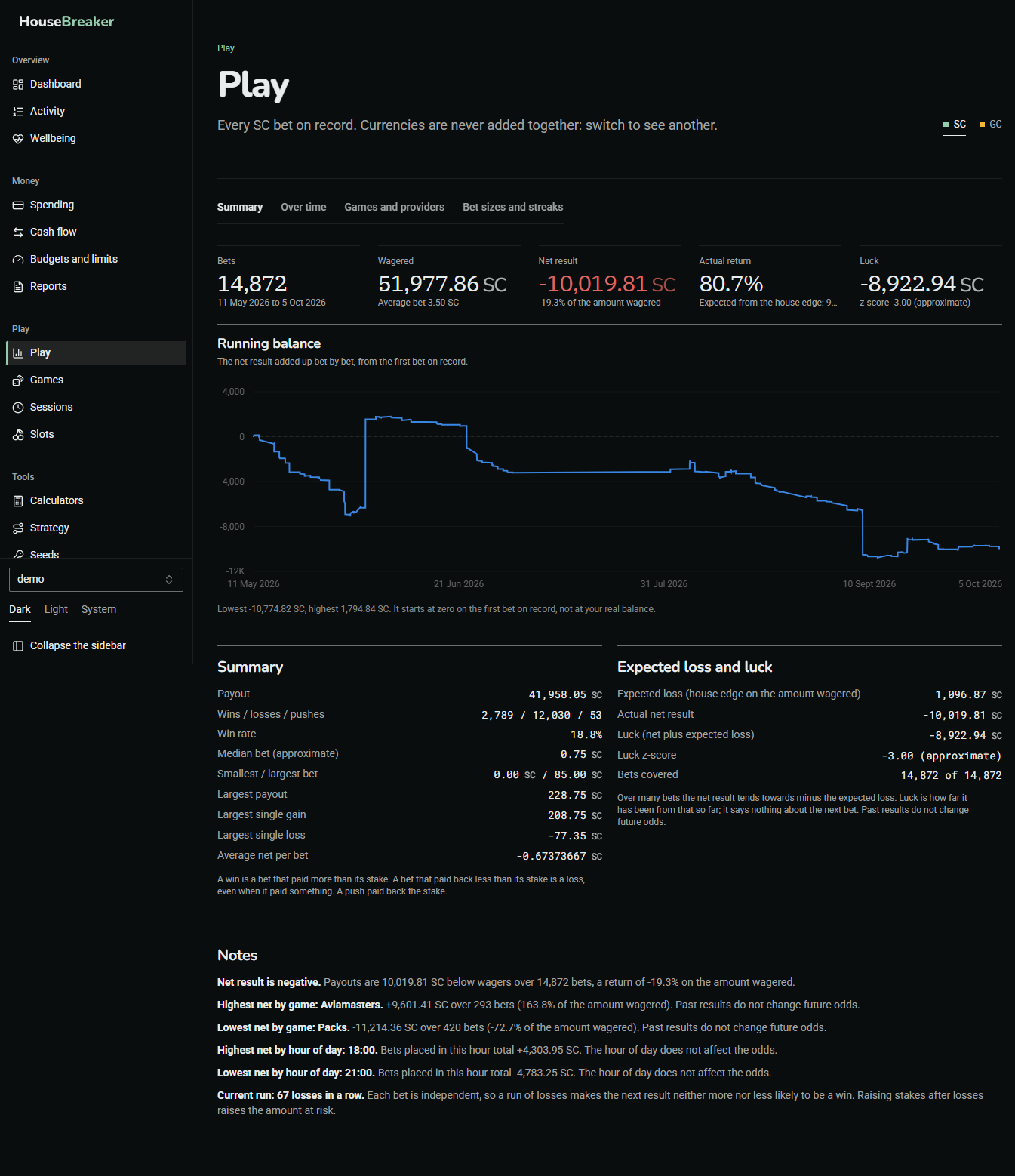
Every bet on record for the chosen currency: bets, wagered, paid out, net, and return. Expected loss and luck sets the result beside what the games' house edges predict for the amount wagered. The difference between the two is luck, in either direction, and it does not carry forward.
Games
Answers: how did each game go, and what did it do?
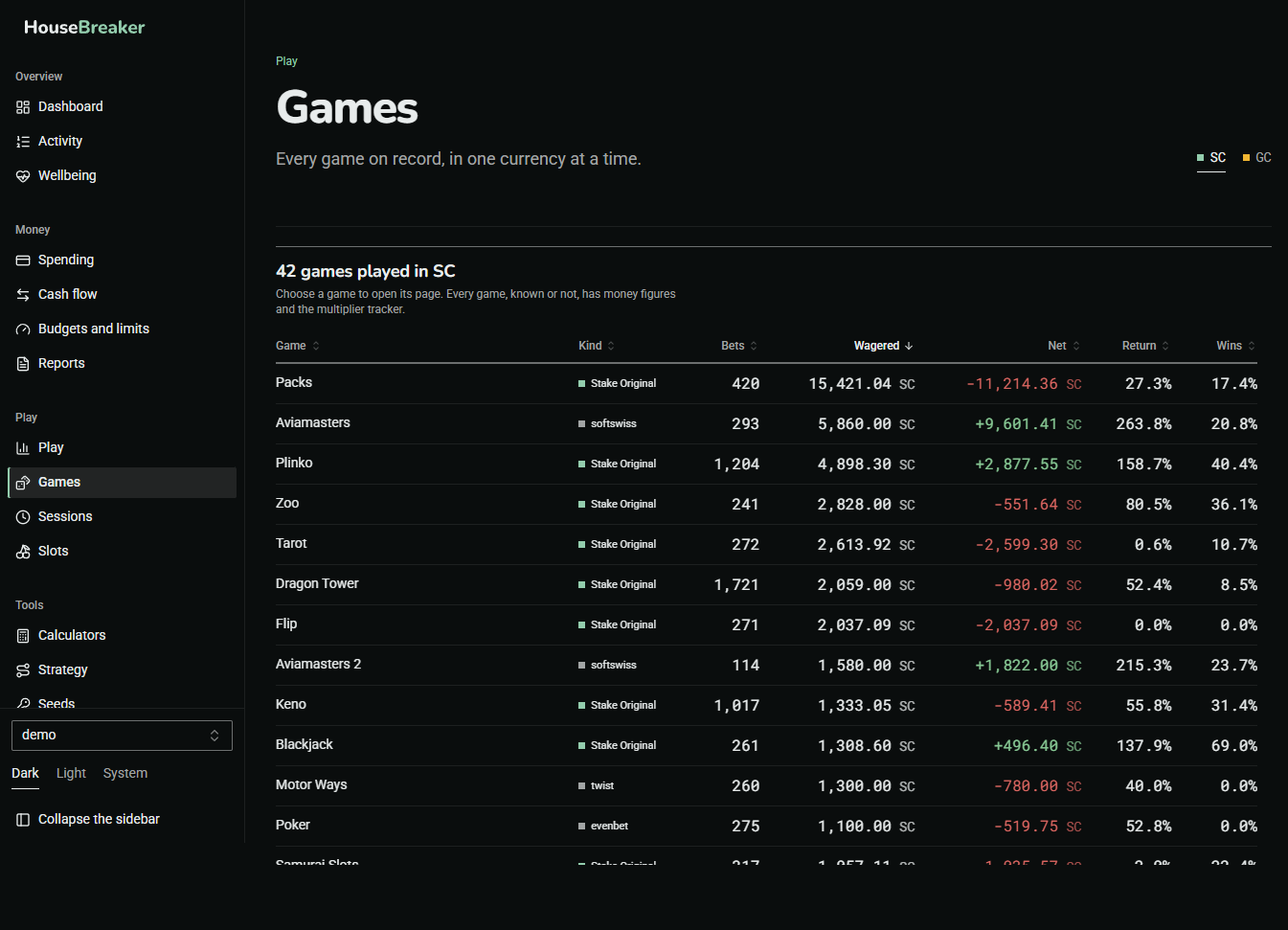
The list has one row per game. Press a row to open the game's page: its money figures, then its tracker panels drawn as the game's own board.
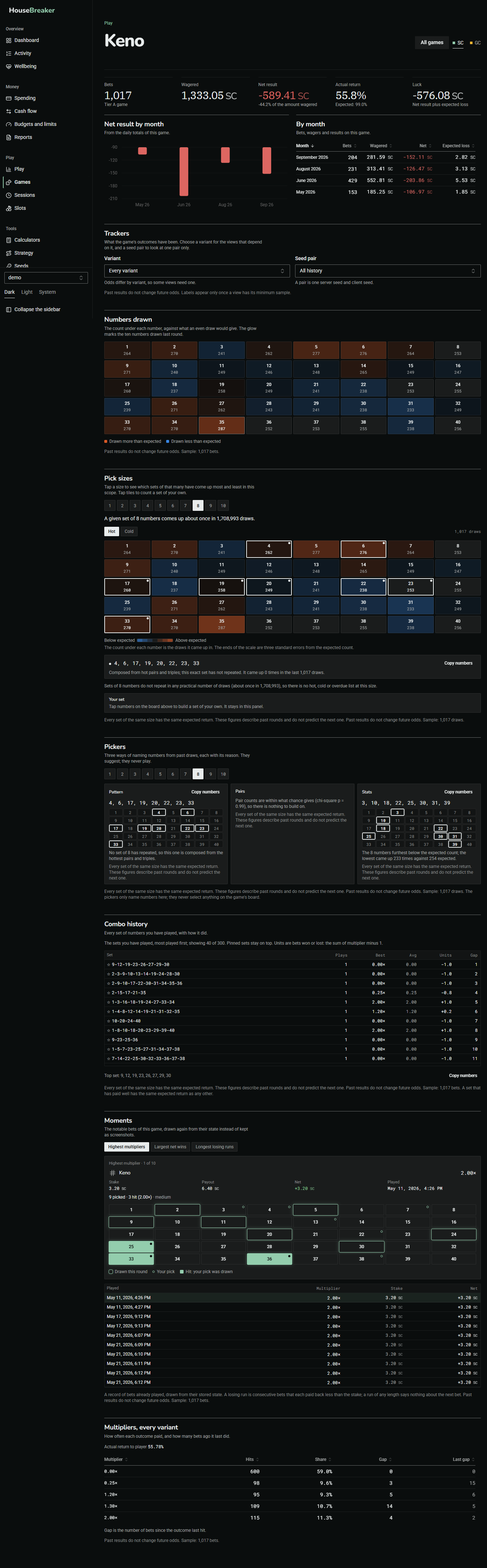
The panels are the same kind as in the extension's Tracker tab, over your whole history instead of today's bets. Each states its sample size and keeps its own minimum before it shows any colour or label. A label such as Hot or Overdue describes the past and predicts nothing.
Sessions
Answers: how long do I play, and how do sessions end?
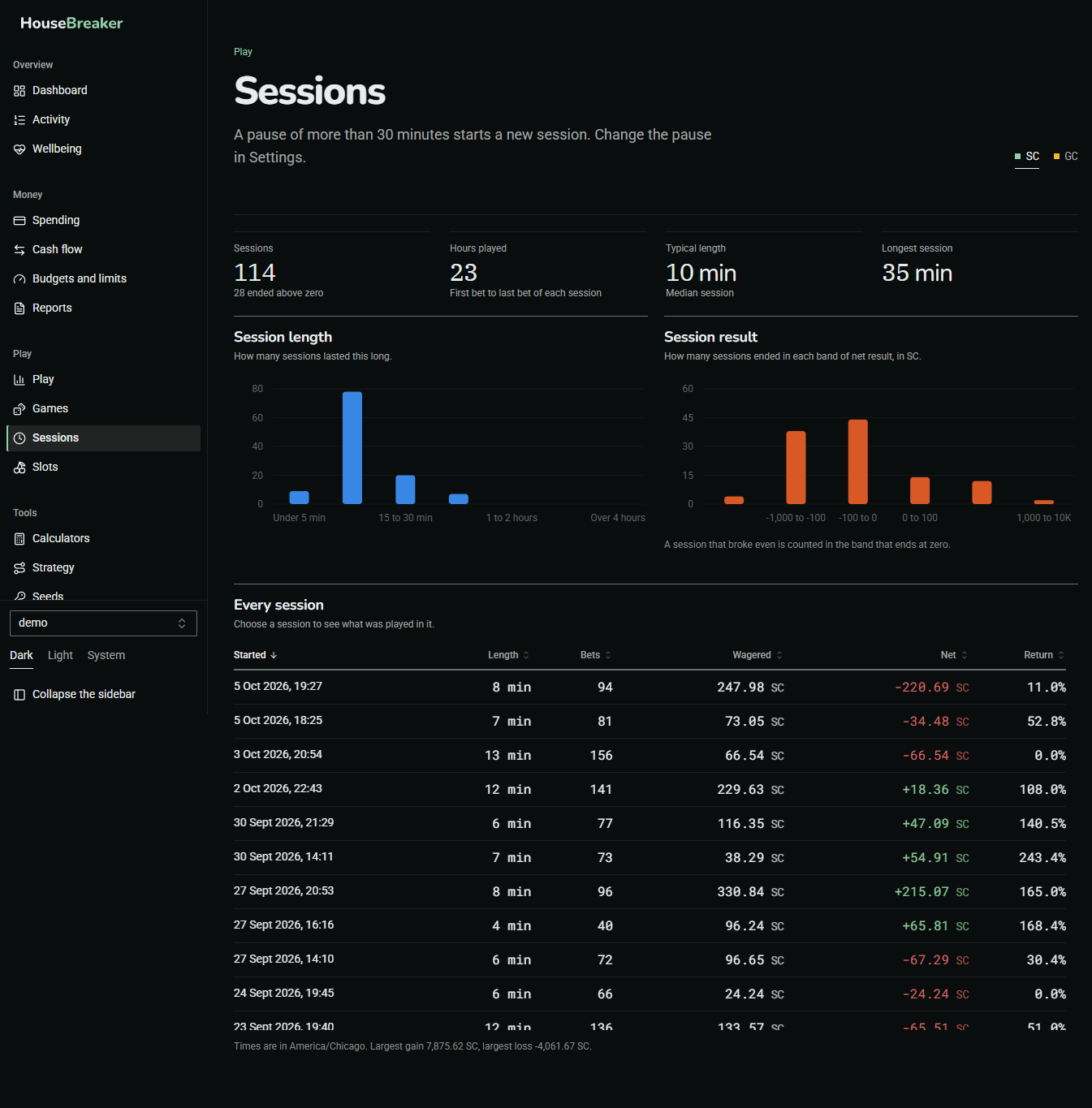
A session is a stretch of play with no long pause. A pause of more than 30 minutes starts a new one; the length of the pause can be changed in Settings. The screen lists sessions with their length and result, and what was played in each.
Slots
Answers: what does a slot's published table say, and what did my own spins do?
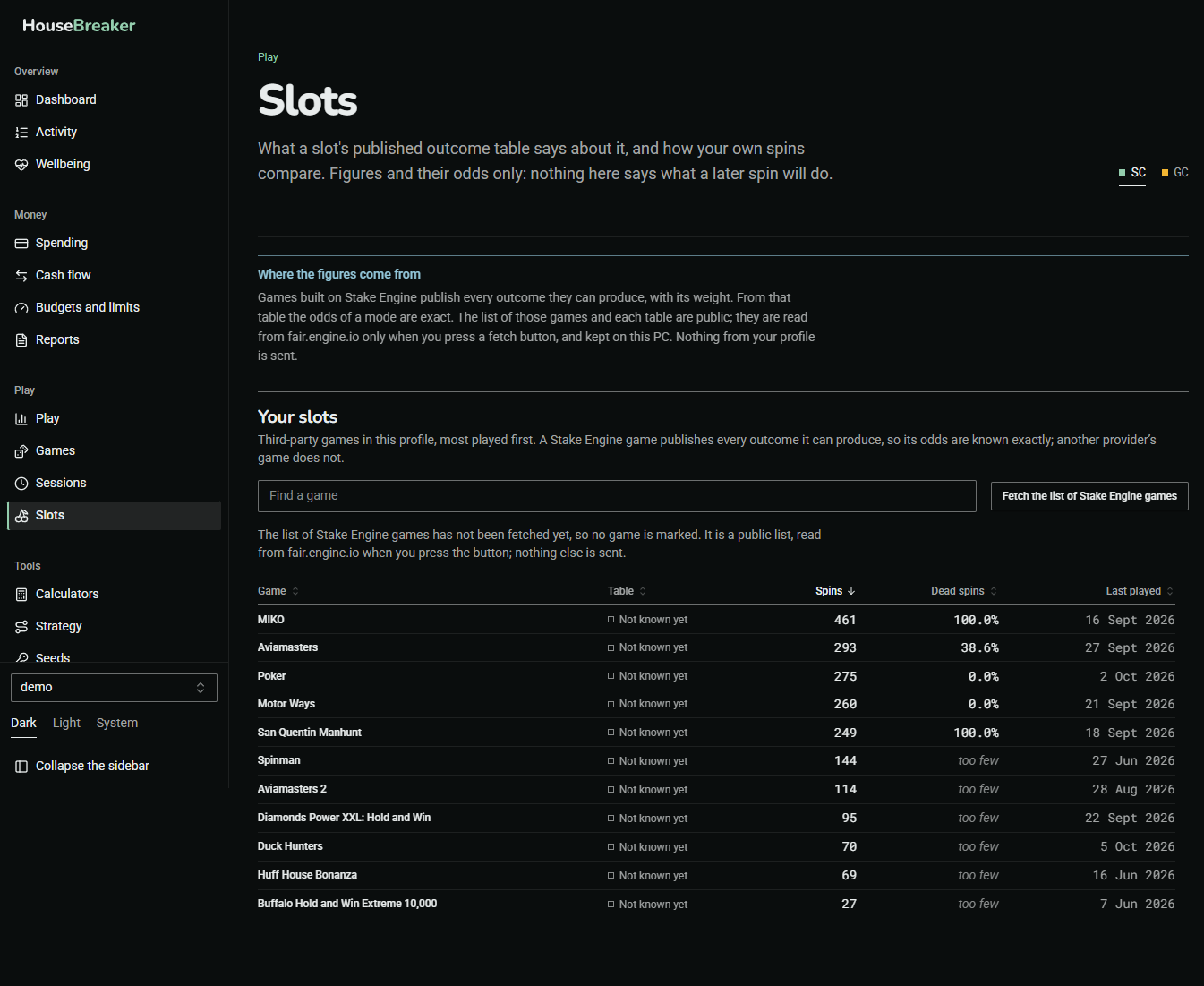
This screen has a page of its own.
Tools
Calculators
Answers: what does this bet pay, and how often?
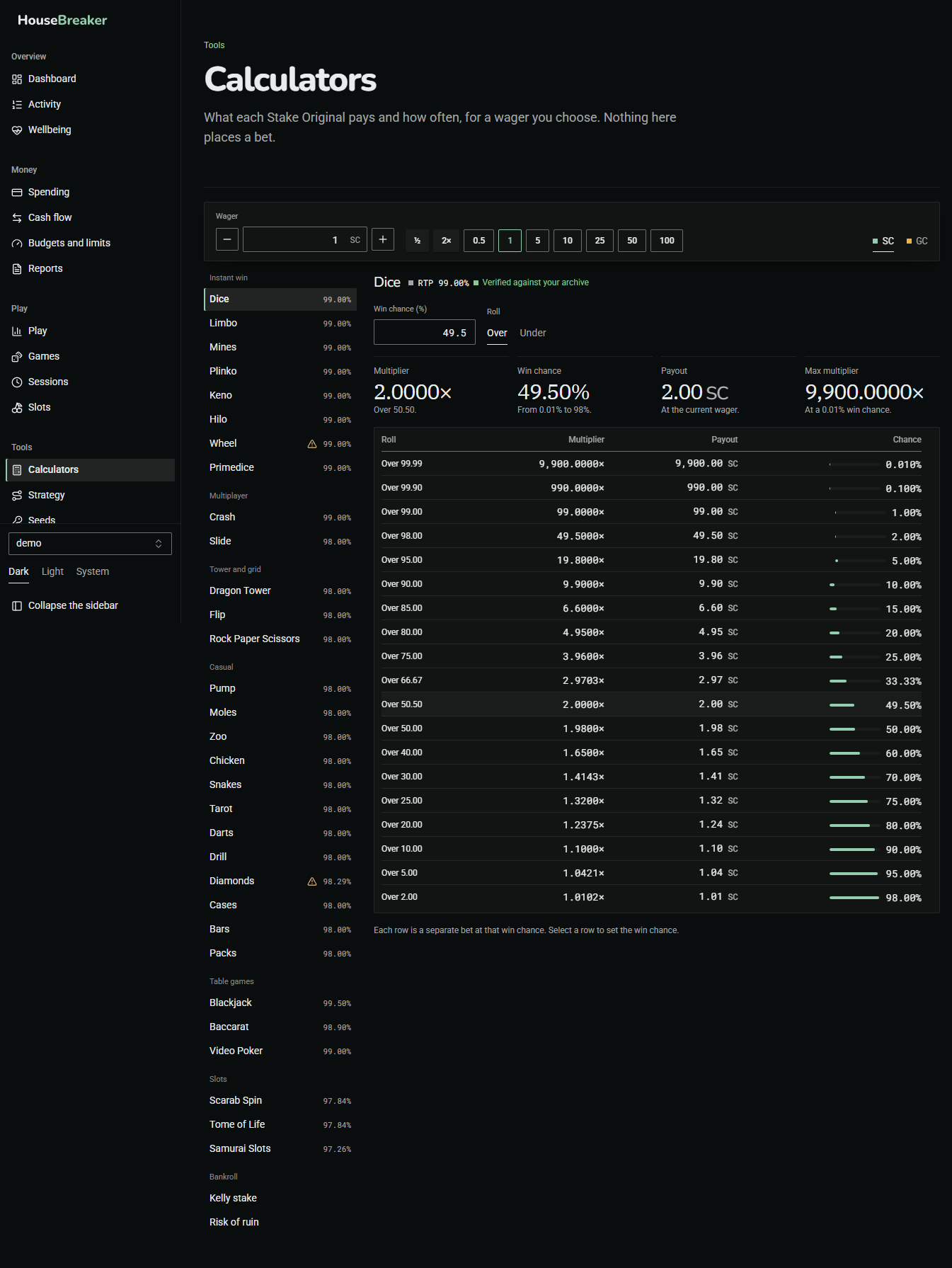
The payout calculator for each Stake Original, for a wager you choose. The figures come from the games' published rules. Nothing here places a bet.
Strategy
Answers: what would this betting strategy really do?
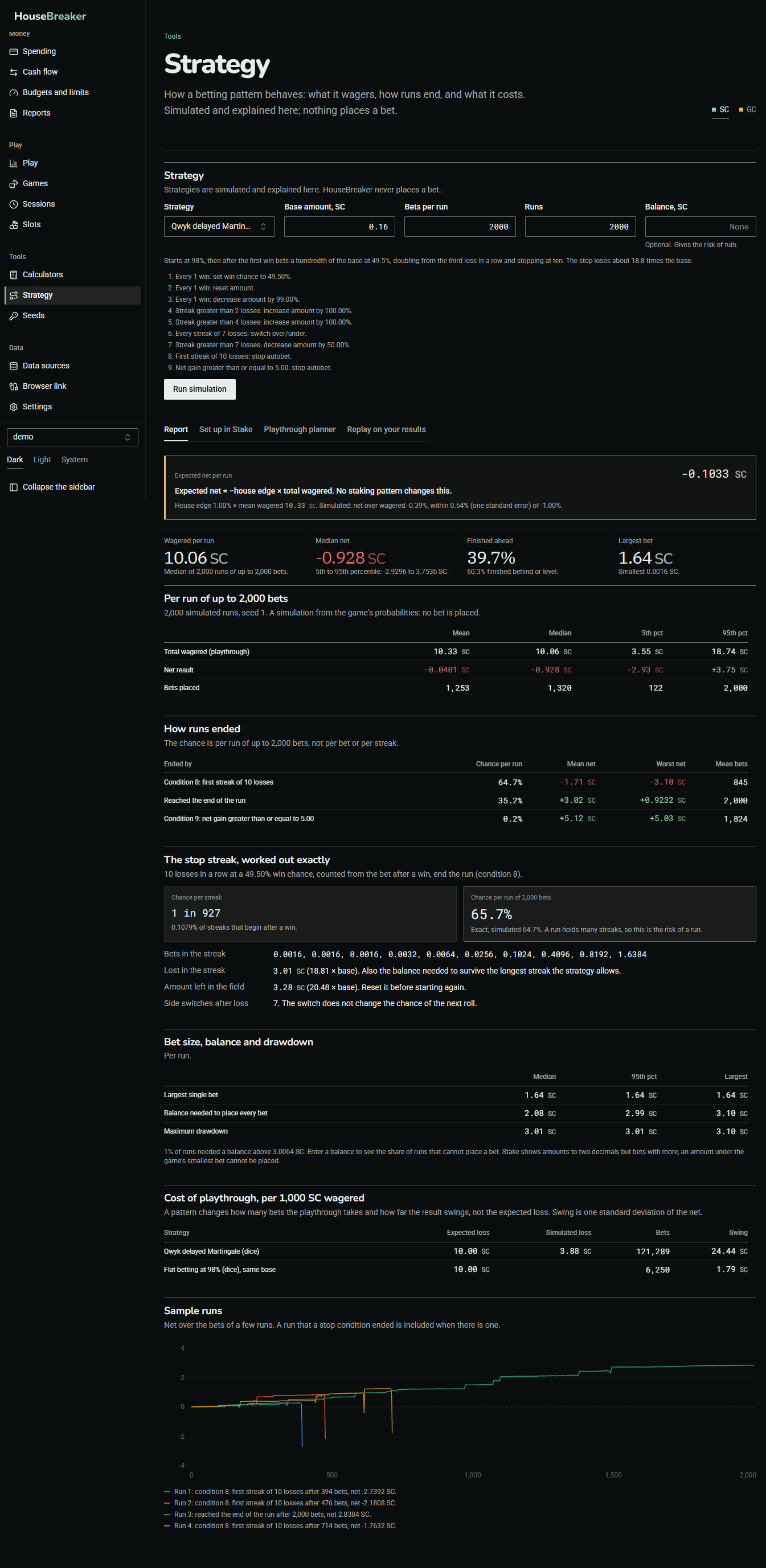
Choose a strategy and a bankroll, and the app simulates many runs of it and reports the spread of results: how often it ends ahead, how often it hits the stop, how deep the worst runs go. Replay on your results runs it over your own past Dice or Limbo results.
Every report leads with one line: expected net = minus the house edge times the total wagered. No strategy changes that. A strategy rearranges when the losses fall; it does not reduce them. Strategies are simulated and explained here, never carried out.
Seeds
Answers: were my bets drawn the way Stake's provably-fair scheme says?
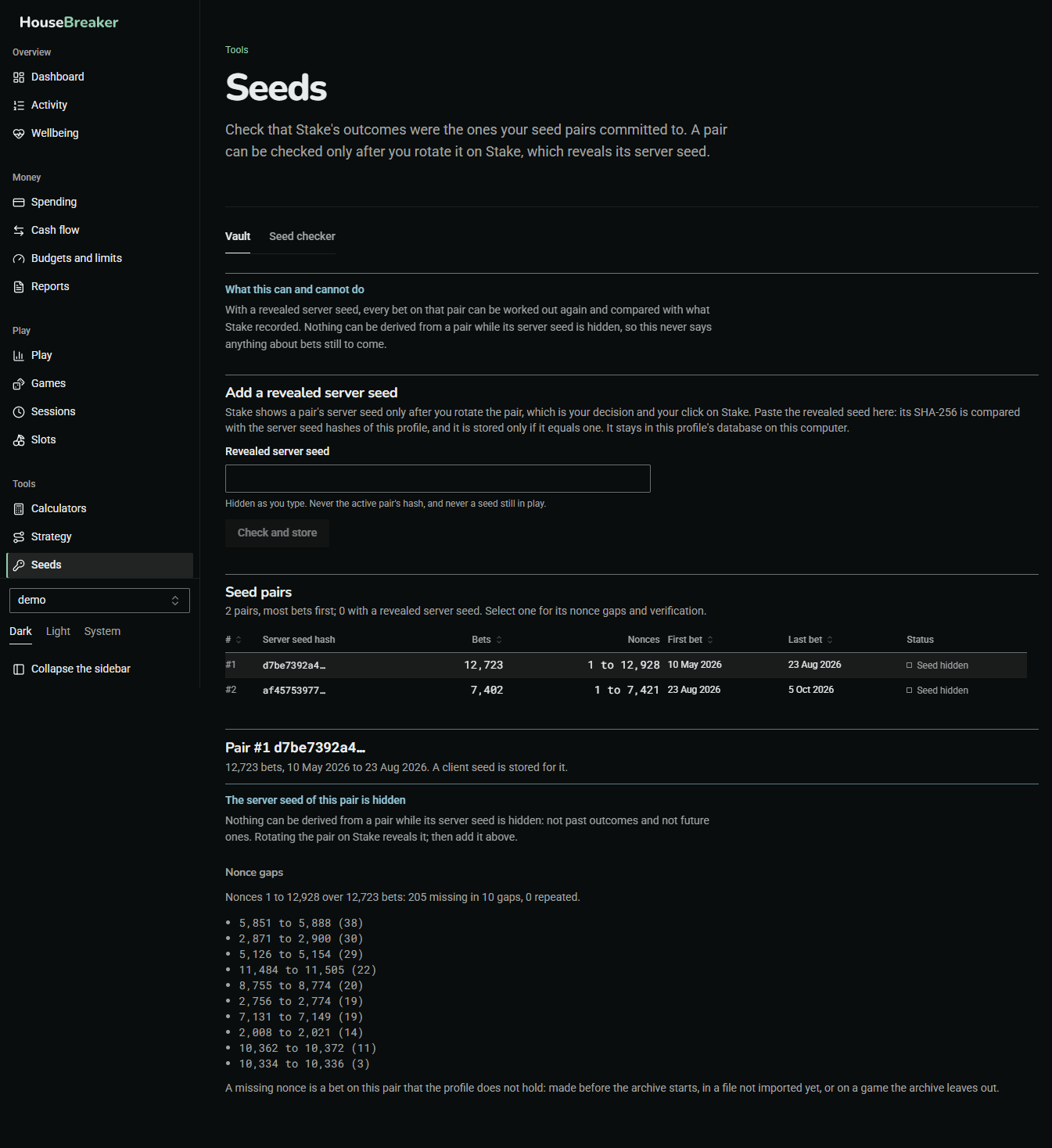
Lists the seed pairs your bets were placed on. When you rotate a pair on Stake, Stake reveals its server seed; paste it here and the app first checks it against the hash it was promised under, then recomputes your stored bets on that pair and compares.
Nothing can be worked out from a pair whose server seed is still hidden, and the screen does not try. Nothing here talks to Stake.
Data
Data sources
Answers: what does this profile hold, and what is missing?
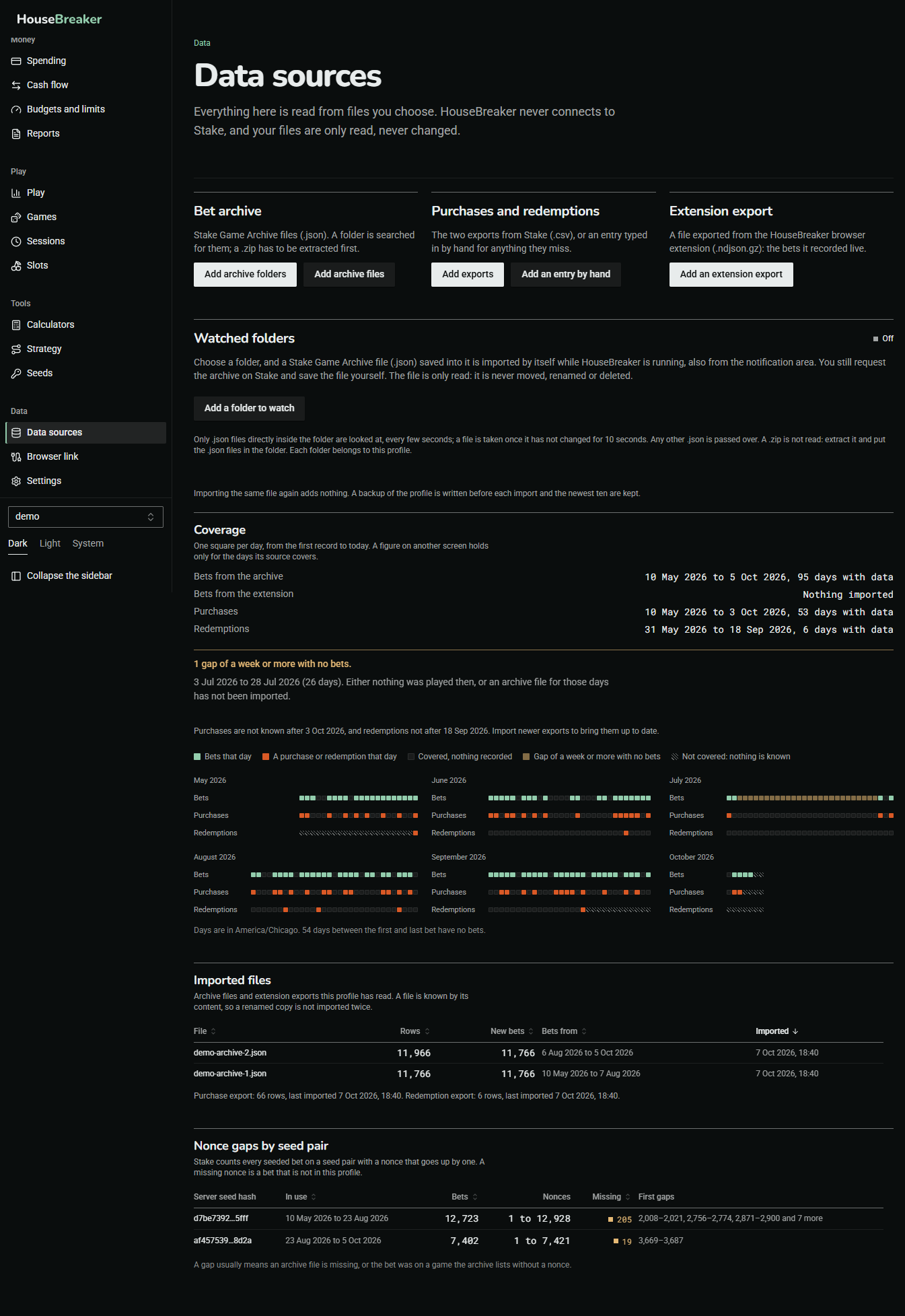
This is where data comes in.
- Bet archive. Stake Game Archive files (
.json), by file or by folder. - Purchases and redemptions. The two
.csvexports from Stake, or an entry typed in by hand. - Extension export. A file exported from the HouseBreaker browser extension.
- Watched folders. Choose a folder, and an archive file saved into it is imported by itself while HouseBreaker is running. You still request the archive on Stake and save the file yourself. The file is only read.
Below the buttons, a calendar shows one square per day from your first record to today, so a missing stretch can be seen. A list of nonce gaps points at bets that are not in the profile, which usually means an archive file is missing.
Your files are only ever read. Importing the same file again adds nothing.
Browser link
Answers: are bets arriving from the extension by themselves?
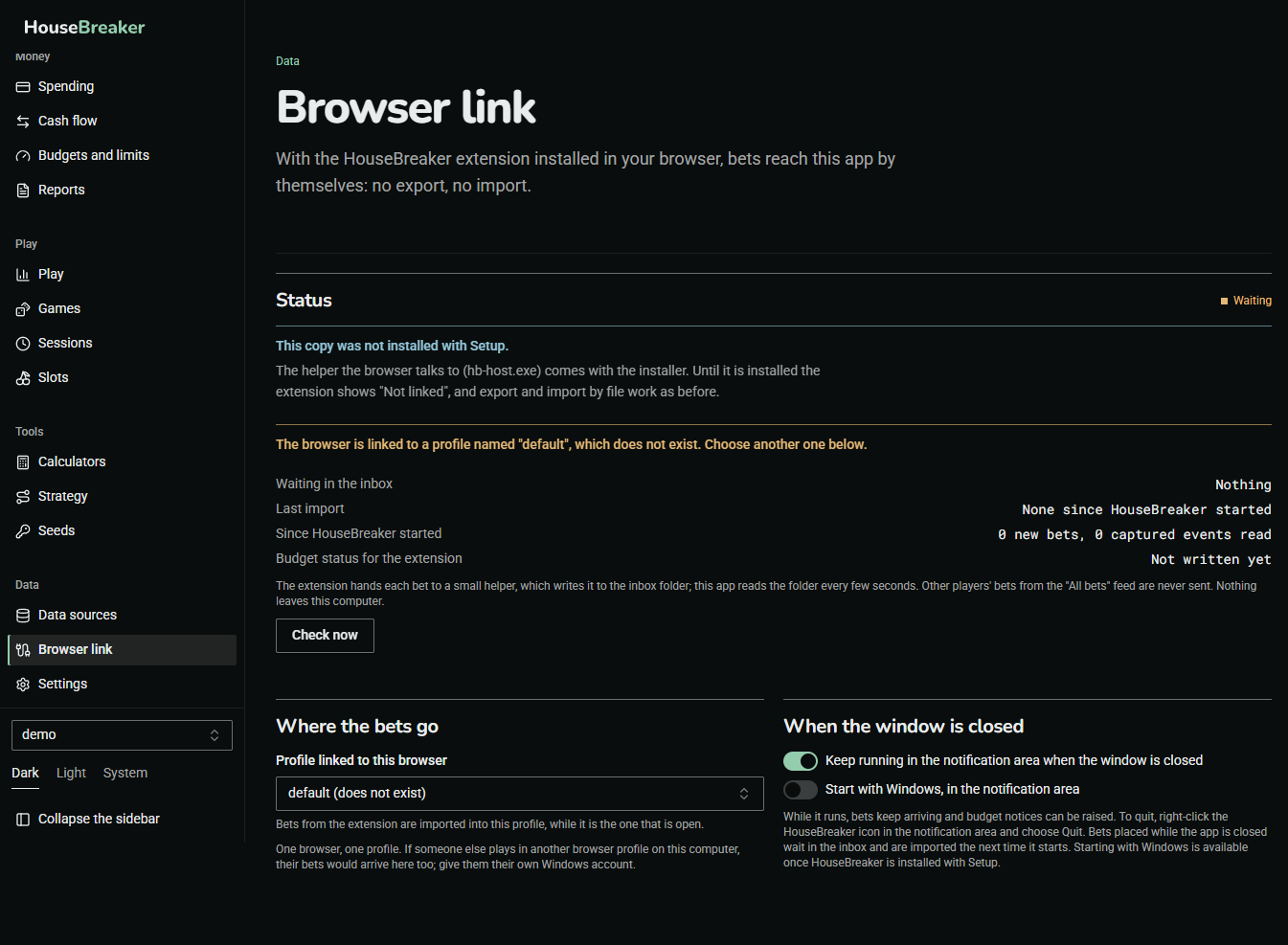
See The extension and the desktop app together.
Settings
Answers: how is this profile set up?
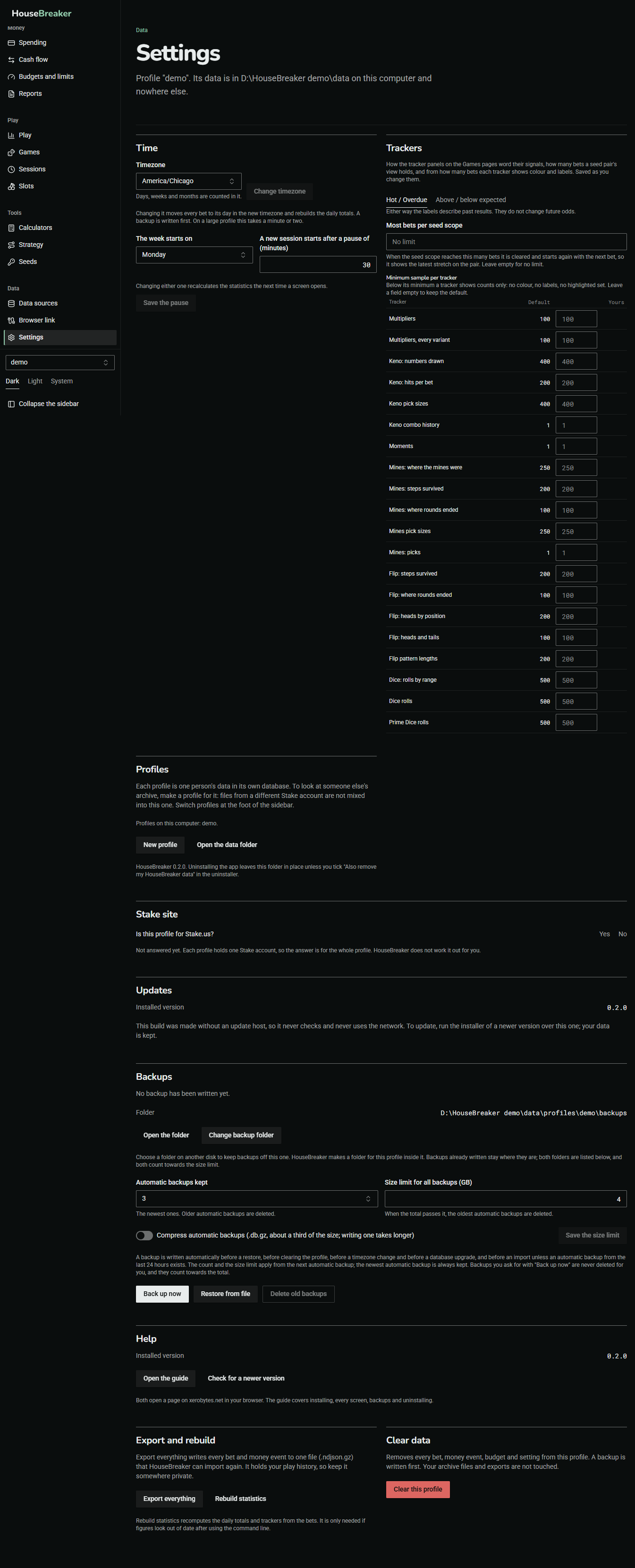
The line under the title names the profile and the folder its data is in. The cards, in order:
Time
The timezone, the day the week starts on, and the pause that starts a new session. Changing the timezone moves every bet to its day in the new timezone and writes a backup first.
Trackers
How the tracker panels on the Games pages word their labels ("Hot / Overdue" or "Above / below expected"), how many bets a seed pair's view holds, and from how many bets each tracker shows colour and labels.
Profiles
The profiles on this computer, New profile, and Open the data folder. Switch between profiles at the foot of the sidebar.
Stake site
Whether this profile is for Stake.us. Each profile holds one Stake account, so the answer covers the whole profile. HouseBreaker does not work it out for you.
Help
The installed version, Open the guide and Check for a newer version. Both open a page on xerobytes.net in your browser.

Export and rebuild
Export everything writes every bet and money event to one file that HouseBreaker can import again. It holds your play history, so keep it somewhere private. Rebuild statistics recomputes the totals from the bets and is rarely needed.
Clear data
Removes everything from this profile after you type its name to confirm. A backup is written first. Your archive files and exports are not touched.
The Updates and Backups cards are described on their own page.
Account
Answers: who is this copy licensed to?
This screen is listed only in a copy that asks for a licence. There you sign in with a short code shown by the app, see the name the licence carries and the name of this device, and sign out. Your data stays yours in every state: importing, exporting, backing up and restoring work whether or not a licence is in place.
A copy made without licences does not list the screen, and nothing else about the app differs.